Full-Text Search vs Folder-Based Organization for Research: Which Approach Wins
The Organizing Instinct
When faced with growing research, the natural impulse is to organize: create folders, develop a taxonomy, establish naming conventions.
Competitor folder, inside it: Pricing folder, inside that: 2026 folder.
It feels systematic. It's satisfying to organize. But the moment you need information, the system fails:
-
Is the pricing research in "2026 Pricing" or "Competitor/Pricing/2026"?
-
You remember it was about a specific competitor, but which folder?
-
New research doesn't fit existing categories (do you create "Pricing/Features" folder?)
-
What about research that spans multiple categories?
Folder-based organization optimizes for filing. Full-text search optimizes for retrieval. These are opposite goals.
The Fundamental Problem With Folder Hierarchies
Folders assume:
-
Everything has a single location: What if research is relevant to "Pricing" AND "Product" AND "Market Position"?
-
Categories are stable: Market intelligence doesn't fit fixed hierarchies. Research evolves from data → analysis → strategic implication.
-
You remember the structure: Folders work if you recall where you filed something. After six months, few people remember.
-
Navigation replaces search: You can't ask "What did I learn about churn?" You have to navigate: Competitors → CompanyX → Churn. If "Churn" isn't a folder, you're stuck.
Folder structures scale poorly. Every new piece of research requires deciding where it fits. Every search for something you roughly remember requires navigating a hierarchy instead of searching content.
Real-World Folder Failure
Your competitive intelligence has grown over a year. Structure looks like:
Competitors/
Company A/
Pricing/

  2024/

  2025/

  2026/

Products/

  Features/

  Roadmap/

Market Position/
Company B/
Pricing/

Products/

...
Industry Trends/
Market Consolidation/
AI/
Cloud/
Regulatory/
Data Privacy/
Antitrust/
You're asked: "Have we researched churn rates across competitors?"
Churn data is scattered:
-
Company A's churn might be in Pricing (if it's part of financial analysis)
-
Company B's churn might be in Products (if it's product quality-related)
-
Industry churn might be in Market Position
To find all churn research, you navigate 5+ folders, hunt for references, and manually assemble data.
With full-text search, you search "churn" once and get all mentions across every folder.
How Full-Text Search Changes the Game
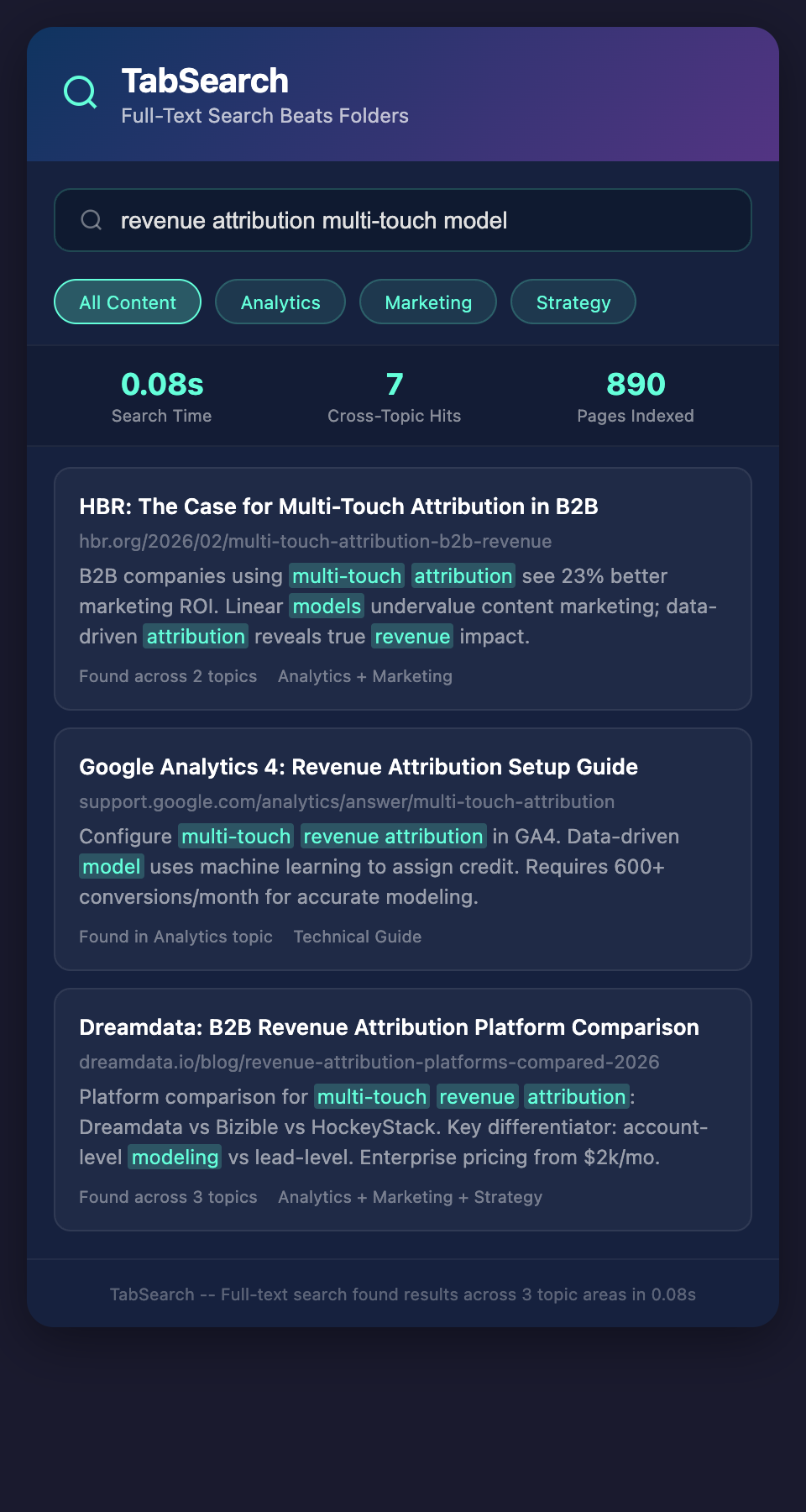
Full-text search indexes every word in every document. You search for "pricing strategy" and the system returns:
-
Articles mentioning "pricing strategy"
-
Earnings calls discussing "pricing"
-
Competitive analysis mentioning "strategy"
-
Customer reviews mentioning "price"
Relevance ranking surfaces the most relevant results first. You don't navigate folders; you ask questions.
Search Queries Replace Navigation
Instead of: Navigate to Competitors > CompanyX > Pricing > 2026 > Growth File
You search: "Company X pricing 2026 growth"
Instead of: Navigate to Industry Trends > AI > Competitive Applications
You search: "AI product launches competitors"
The interface is faster, more intuitive, and works regardless of how content is filed.
The Metadata Advantage
Full-text search is enhanced with metadata:
Every piece of research includes:
-
Date (when was this published/researched?)
-
Source (what's the credibility of this data?)
-
Topic (what analytical question does this address?)
-
Confidence (how certain are we of this information?)
Search for "pricing strategy" and filter:
-
Last 90 days (only recent data)
-
High confidence (only verified sources)
-
By company
-
By topic
Metadata transforms search from "find words" to "find answers to specific questions."
Hybrid Approach: Search + Light Organization
The best system uses full-text search as the primary discovery method, with light organization for browsing:
Primary interface: Search
-
90% of lookups happen through search
-
Fast, intuitive, works regardless of structure
Secondary interface: Browse by category
-
For exploratory browsing when you're not searching for anything specific
-
Light categories (Competitive, Industry, Regulatory) not deeply nested
-
Tags supplement hierarchy (all pricing research is tagged #pricing regardless of folder)
Avoid: Deep folder hierarchies expecting people to navigate successfully
This hybrid approach gives you the best of both worlds: fast search and light browsing structure.
The Migration Path
Moving from folder-based to search-based doesn't require restructuring everything:
Phase 1: Index existing folders
-
Don't reorganize existing structure
-
Add full-text search index to what exists
-
Tag content by topic (add metadata)
Phase 2: Retire navigation, promote search
-
Train people to search instead of navigate
-
Show how much faster search is
-
Keep folder structure for legacy access
Phase 3: Add new research via search-friendly capture
-
New research is tagged, not deeply filed
-
Over time, new material accumulates in search-friendly format
-
Old material eventually migrates or becomes legacy archive
Phase 4: Simplify folder structure
-
Once you're comfortable searching, flatten old folders
-
Archive deep hierarchies since everything is searchable anyway
-
Reduce cognitive overhead
Retrieval Science: Why Search Wins
Cognitive research shows:
Folder navigation requires:
-
Recall of hierarchy structure (working memory)
-
Navigation clicks (time cost)
-
Decision at each level (cognitive load)
-
High error rate if structure isn't intuitive
Full-text search requires:
-
Articulation of search terms (lower barrier)
-
One action (type and enter)
-
System handles relevance ranking
-
Lower error rate
Humans are bad at remembering hierarchies. We're good at recognizing information when we see it. Full-text search plays to human strengths.
Building Search-Friendly Content
Create content that works with full-text search:
-
Include key terms in headings: "Competitor X's Pricing Strategy and Market Positioning" is searchable for multiple queries
-
Write naturally: "churn rate of 5% annually" is more searchable than "CR: 5% pa"
-
Include context: Don't just say "Raised Series B." Say "Raised Series B to enter European market"
-
Link related research: "See also: European market expansion" helps discovery
-
Add metadata: Tag by topic, date, confidence, so filters enhance search
Content written for search is more useful across the board.
Real-World Comparison: Quarterly Brief Preparation
Folder-based approach:
-
Identify briefing topics
-
Navigate folders for each topic (5-10 navigations)
-
Open multiple folders hunting for information
-
Manually assemble data
-
Time: 90 minutes to gather information
Search-based approach:
-
Search "competitive pricing Q1 2026"
-
Search "feature launches Q1 2026"
-
Search "market share changes Q1 2026"
-
Export results
-
Time: 15 minutes to gather information
Difference: 75 minutes saved per brief × quarterly = 5 hours per quarter per analyst.
The Psychological Shift
Moving from folder-based to search-based requires a mental shift:
Old thinking: "I need to organize perfectly so I can find things later"
New thinking: "I'll index it and trust search to help me find it"
Old thinking: "Where should I file this?"
New thinking: "What tags make this discoverable?"
Old thinking: "I'll navigate to the folder structure I remember"
New thinking: "I'll search for what I need"
This shift is uncomfortable at first. Within a week of using search-based systems, people rarely go back to folder navigation.
When Folders Are Still Useful
Folders aren't useless. They're just not the primary interface:
-
Legacy archive: Old files that don't justify re-indexing
-
Logical separation: Public vs. private research (permissions boundary)
-
Visual browsing: When you're not searching for anything specific
-
High-level organization: Keep 2-3 top-level categories (Competitive, Industry, Internal) but don't nest deeper
Think of folders as a filing system for the system, not as your primary interface.
Measuring the Improvement
Track the shift:
-
Search queries per week: Should increase as people get comfortable
-
Time to find information: Should drop by 50% or more
-
Folder navigation: Should drop as search replaces it
-
Satisfaction with research retrieval: Should increase significantly
Most organizations see 60-80% time savings on research retrieval after shifting to search-based systems.
The Competitive Intelligence Advantage
Analysts who can search the entire research history in 30 seconds make better decisions than analysts who navigate folder structures for 10 minutes.
Full-text search is becoming table stakes for competitive intelligence systems. Teams that still rely on folder navigation are permanently slower.
Join the waitlist to search your research instantly instead of navigating folder hierarchies.