Preventing Research Loss When Sites Disappear
The Disappearing Research Problem
You're six months into writing a series on email marketing. One of your key sources is an article that perfectly explains email engagement psychology. You cite it, link to it, reference its examples.
Then it happens. You're fact-checking before publishing and you click the link. 404. The website redesigned. The article disappeared.
You search for it. Maybe it exists on the Internet Archive, maybe it doesn't. You have the URL but none of the actual content. You have to either:
-
Find a replacement source (losing the specific examples you wanted)
-
Write around it (weakening your article)
-
Remove the citation entirely (losing a valuable source)
This happens constantly. Articles move, websites shut down, content moves behind paywalls, publishers delete old posts.
And every writer loses research this way, regularly.
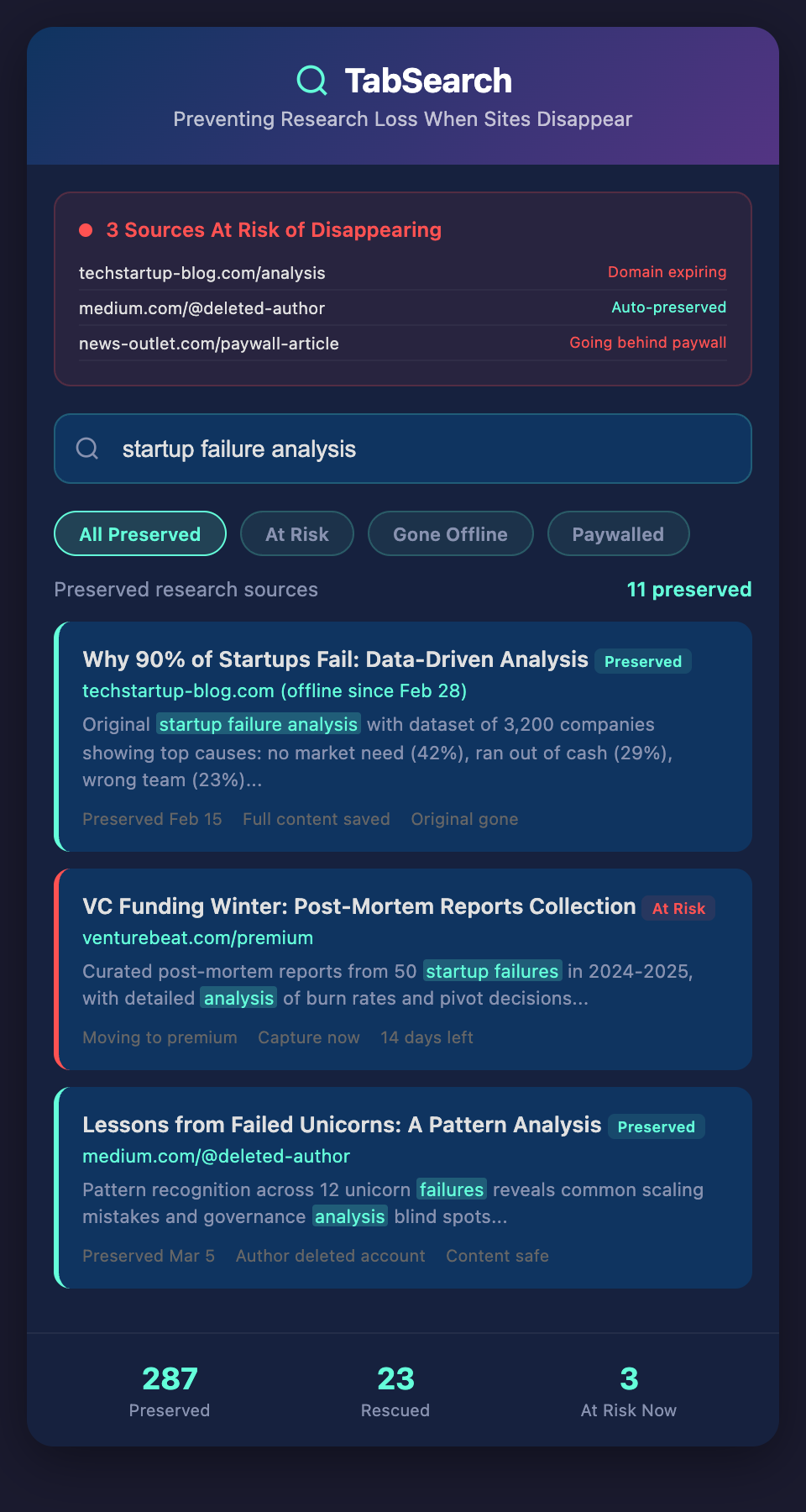
Why Research Disappears
1. Sites Redesign or Change
A blog redesigns. Old URLs break. Content gets reorganized and becomes inaccessible. This happens to major sites all the time.
2. Publishers Delete Posts
A company realizes an old article doesn't reflect their current strategy. They delete it. Gone.
3. Sites Shut Down
A blog closes. A company pivots. A website goes offline. The research vanishes.
4. Content Moves Behind Paywalls
Content that was free becomes subscription-only. Or it moves from a free blog to a paid publication.
5. Providers Remove Content
Platform providers (Medium, Substack, LinkedIn) sometimes force creators to remove or archive content. The content disappears from the web.
6. Link Rot
Even if the site exists, the specific page might be gone, replaced, or moved to a new URL. Your link no longer works.
When you build your writing around sources you don't control, you're building on a foundation that could crumble.
The Archiving Solution
The solution is simple: capture the full content when you save a source.
Don't just save a URL. Save the actual article, the images, the formatting, the comments, everything. Capture the content the moment you find it, while it exists.
This is different from bookmarking. Bookmarks are links. Archiving is storage. You're keeping a copy of the actual information.
What to Archive
For each source, store:
-
Full text content (not just a summary or excerpt)
-
Images and media (screenshots, diagrams, videos)
-
Metadata (title, author, publication, date, original URL)
-
Your annotations (notes about why this was valuable, how you'll use it)
-
Archive date (when you captured it)
This ensures that even if the source disappears, you have a complete record of what it said when you found it.
How to Archive
Browser-based archiving: Tools like Evernote, OneNote, or Notion let you save full pages with formatting preserved. This is the simplest approach for most writers.
PDF archiving: Save articles as PDFs. PDF keeps formatting and is portable. Downside: PDFs aren't searchable by default (though some tools add searchability).
Full-page archiving tools: Tools like Zotero, Hypothesis, or specialized archiving services capture the full page with metadata, make it searchable, and preserve formatting.
Internet Archive submission: For important sources, submit them to the Internet Archive's Wayback Machine. This creates a public backup, not just for you.
The method matters less than doing it. Pick the easiest one for your workflow and stick with it.
The Compound Benefit of Archiving
Archiving isn't just insurance against future loss. Over time, it creates something more valuable:
A searchable archive of your field. After a year of archiving articles in your niche, you have a searchable database of your field's thinking. You have access to articles that disappeared from the web. You have historical records of how thinking has evolved.
Evidence of change. When you've archived articles over time, you can show how an industry's perspective has shifted. That's valuable for analysis and trend-spotting.
Better fact-checking. When you have the full archived content, you can verify quotes and claims precisely.
Confidence in citations. You're not just citing a link that might break. You're citing content you have on file.
Addressing the Storage Question
Some writers worry about storage. "Won't I run out of space?" Not really.
A year's worth of archived articles (say, 200 articles per year) is roughly 1-2 GB, depending on complexity and images. Cloud storage is cheap. A Dropbox or Google Drive plan costs a few dollars per month and gives you 100+ GB.
Storage is not the constraint. Consistency is.
The Backup Within a Backup
If you're using a system that already archives content (like a tool that captures research with full text), you have your archive built-in. This is the ideal: capture, archive, and search all in one system.
But even if you're not, you can archive sources separately:
-
Save an article to your browser archiver
-
Save the link in your research system
-
Archive a PDF to cloud storage
This redundancy seems excessive but it's not. If one system fails, you still have the others.
Archiving Best Practices
Archive immediately: Don't wait to archive later. The moment you find a source you'll use, archive it. Tomorrow, the site might change.
Archive with metadata: When archiving, include where it came from, when you found it, and why it was valuable. Future-you will appreciate this.
Archive with context: If you took notes or highlights, archive those too. Your interpretation is as valuable as the original.
Maintain your archive: Every quarter, check that your archives are still accessible and readable. Fix broken links in your archive index.
Share occasionally: With permission, archiving can benefit others. If a source you've archived has since disappeared, your archived version becomes valuable to others in your field.
The Peace of Mind
Here's the real benefit of archiving your research: you write with confidence.
You cite a source and you know it's safe. Even if the original disappears tomorrow, you have the full content on file. You can re-reference it. You can verify it. You can quote it accurately because you have it.
This changes how you approach research. Instead of hunting for sources every time you write, you're building a library of archived, searchable sources. Every article you write adds to this library.
Start Archiving Today
For your next research session:
-
As you find sources, archive them instead of just bookmarking
-
Include metadata and context
-
Store them in one organized location
-
Make them searchable if possible
After one month of this habit, you'll have 30-50 archived sources. After a year, you'll have 300-400.
That's a research library that can't disappear.
Ready to protect your research? Join our waitlist to get early access to a tool that automatically archives, searches, and preserves every source you research—so your citations never break.