Browser Tab Management for Writers: A New Approach
The Writer's Tab Crisis
Open your browser right now. Look at your tabs. How many do you have? If you're like most writers and content creators, the number probably makes you tired just thinking about it.
We've normalized browser overload. Having 30+ open tabs feels normal. We've accepted that finding information we know we found means clicking through dozens of dead ends. We've made peace with the idea that sometimes research just disappears into the digital void.
But this doesn't have to be normal.
The reason tab management is so broken for writers is that traditional approaches assume you want to organize your information proactively. They assume you have time to file things into folders, tag them carefully, and maintain a system.
Writers don't work that way. Writers open tabs frantically while researching, sometimes opening the same search results multiple times because they can't find the tab they opened 15 minutes ago. Organizing comes later—if at all.
Why Writers Open So Many Tabs
Understanding the problem requires understanding why writers accumulate so many tabs in the first place.
Parallel Research: Writers don't research linearly. A blog post about remote work management requires reading about productivity psychology, time zone collaboration, communication tools, employee wellbeing, and company culture—often all at the same time.
Inspired Exploration: You open one article and follow its references, then follow their references. Suddenly you have 15 tabs related to a tangent that ultimately enriches your final piece.
Comparison Shopping: Many pieces require comparing different perspectives, tools, or statistics. You keep multiple tabs open to reference back and forth as you write.
Fear of Loss: Knowing that closing a tab means potentially losing that research forever creates a hoarding mentality. Better to keep it open "just in case" than risk losing it.
All of these behaviors are completely rational. The problem isn't writer behavior—it's the tools.
What Existing Solutions Get Wrong
Browser Tab Groups: These let you organize tabs into labeled groups. But they're still manual, require active maintenance, and don't solve the core problem of finding specific content. You still can't search across groups.
Tab Saving Extensions: Bookmark and tab-saving services let you save tabs to lists. But they require manual action, create duplicate data outside your browser, and don't index the actual content.
Note-Taking Apps: Many writers use Notion, OneNote, or Obsidian to manually capture research. But this requires discipline and ongoing manual work, and you're copying content rather than preserving the original.
Browser History: The built-in history search is text-based and searches URLs and titles—not the actual page content.
None of these solve the fundamental problem: you need instant access to the content you've researched, without manual organization overhead.
A Better Model: Automatic Indexing
Imagine if every page you visited was automatically indexed for full-text search. No setup, no manual organization, no discipline required. You simply browse normally, and everything gets captured.
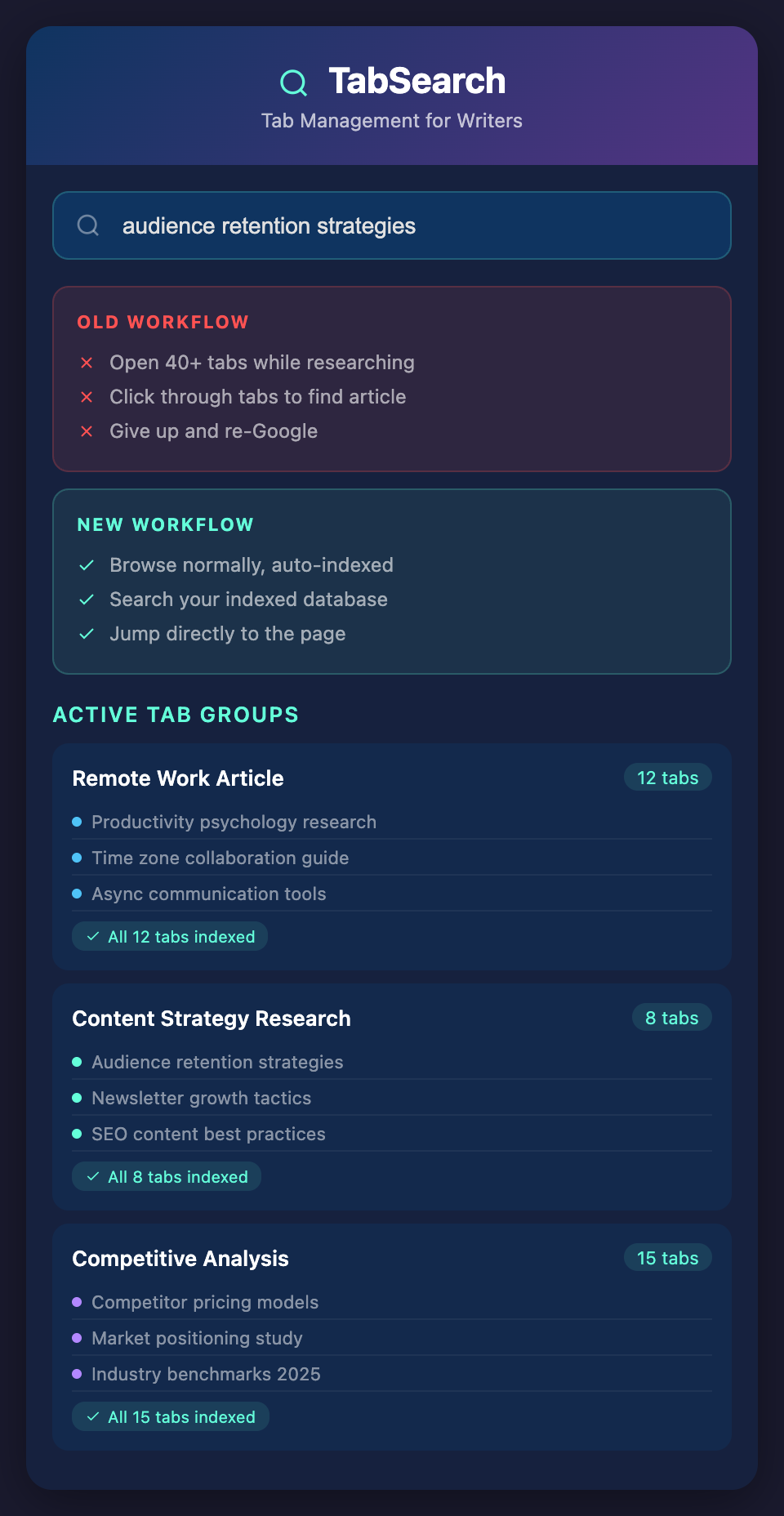
Then, when you're writing and remember reading something about "audience retention strategies," you don't search your browser history (which won't find it) or dig through tabs. You search your research database and instantly see every page where that phrase appears.
This isn't theoretical. Modern full-text search engines can index hundreds of thousands of pages and return results in milliseconds.
The Workflow Transformation
Old Workflow:
-
Open 40+ tabs while researching
-
Try to find a specific article by clicking through tabs
-
Give up and search Google again
-
Write the article
New Workflow:
-
Open tabs normally while researching (no limit, no stress)
-
Search your indexed database for specific content
-
Jump directly to the relevant page
-
Write the article
The time saved in step 2-3 alone is substantial.
Building a Research Habit Around This Approach
Once you have a searchable research database, your relationship with research changes:
You become more confident citing sources. You can verify you actually read something instead of relying on memory.
You revisit old research. When you search and find your own old notes on a topic, you build on previous thinking instead of starting over.
You spot patterns. Searching reveals what themes you've researched repeatedly, which topics keep appearing, which experts you consistently reference.
You create faster. Less time searching for research means more time actually writing.
Privacy-First Research
Your research is sensitive. It contains your early-stage thinking, competitive analysis, personal interests, and sources. You shouldn't have to sync it to cloud servers or trust third parties with it.
A local, private database ensures complete control over your research data.
Ready to Transform Your Writing Process?
The constant struggle with browser tab management is stealing your productivity and causing research loss. It doesn't have to.
Join our waitlist today and be among the first writers to experience a research system built for how you actually work—not against it.