Keep Reference Sources Organized While Researching
The Source Accumulation Problem
Research doesn't happen in a linear, tidy fashion. You start with a central topic, then branch into adjacent areas, follow citations backward, and discover related threads. Before you realize it, you've opened forty tabs exploring wildly different angles—each potentially relevant, but collectively a chaotic mess.
The moment you close a tab or switch projects, that source vanishes. You remember that one study about user behavior, but which tab was it in? Who was the author? What was the exact finding? If you didn't manually copy information to a separate document, it's gone.
This isn't just inefficient—it's expensive. You've wasted the research time. You might re-search the same question and "re-discover" the same source, burning additional hours. Worse, you might hesitate to close tabs because you fear losing valuable information, resulting in browser sessions with hundreds of open tabs that become unusable.
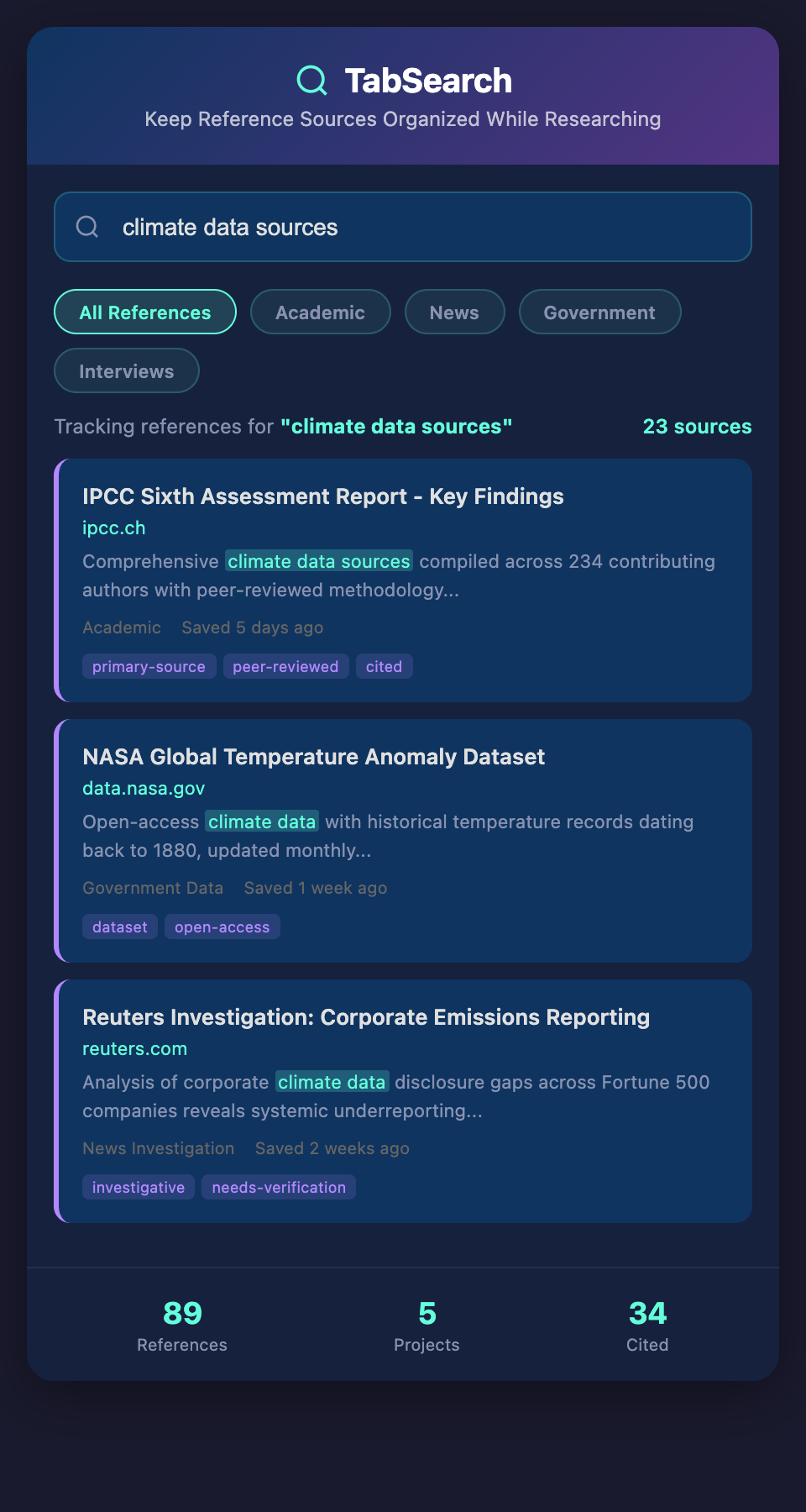
Real-Time Capture: The Foundation
The solution begins with capturing sources during the active research phase, not after. The moment you land on a relevant page, you should have a frictionless way to record it—without opening documents, taking manual notes, or copying text.
Effective source capture preserves the complete context:
-
Full page content, not just a headline. You'll often need to reference statistics, quotes, or context that isn't visible on social sharing previews.
-
Exact URL and publication metadata. The domain, publication date, author, and title allow you to assess credibility and create proper citations later.
-
Timestamp of capture. Knowing when you researched something is useful for timeline reconstruction and understanding your research progression.
-
Your initial thoughts. Many systems let you attach a brief note at capture time: "Good counterpoint," "contradicts Smith 2023," or "define this term further." These annotations are invaluable when you revisit sources weeks later.
Without full-page capture, you'll inevitably face the situation where you remember a source was useful but can't recall why. You'll revisit it to find the relevant section, wasting time twice.
Organization During Research
As you accumulate sources, some minimal organization prevents future chaos. This doesn't require waiting until the research phase ends—you can organize incrementally.
Topic-Based Collections
Create collections named after your main research angles. If you're writing about workplace culture, you might have collections for "remote work trends," "employee retention," "management practices," and "industry surveys." As you research, assign each source to relevant collections immediately. Spending 5 seconds per source saves 30 minutes during the drafting phase.
Quick Tagging System
Beyond collections, add tags that capture source type, quality level, or perspective. Examples: "peer-reviewed," "journalistic," "industry-report," "opinion," "primary-source," "contradicts-thesis." These tags enable you to filter your sources later by credibility or position.
Your Annotation Habits
Use the same annotation system consistently. If you're capturing a source that contradicts your working thesis, note it immediately: "contradicts initial assumption—strong counterpoint." When you're drafting arguments, you'll want to remember and address credible opposing views.
Preventing the "Lost Source" Scenario
Even with good capture discipline, sources get lost because you forgot to capture them, or you captured them under ambiguous keywords.
Build a simple retrieval process:
-
Full-text search everything you've captured. If you remember a phrase, author name, or key finding, search across your entire source library. This should return results in seconds, not minutes.
-
Browse sources by topic. Your system should let you view all sources in a particular research area at once, showing titles and metadata. Visual scanning often helps memory more than search.
-
Review your timeline. Sometimes you'll remember approximately when you researched something. Sorting sources by capture date helps narrow the field.
During the Drafting Phase
Once you're writing, your captured sources should be instantly accessible. You shouldn't need to switch between your writing tool and a separate research app. Many writers work best when their research and writing tools integrate seamlessly—or at least when opening the research system takes seconds.
When drafting a paragraph that requires citations, being able to search for "income inequality statistics" and see three relevant sources instantly is dramatically more efficient than trying to remember which PDF or browser bookmark contained the data.
Cross-Project Source Management
If you're a prolific writer with multiple simultaneous projects, your system must handle source separation. You don't want research for Project A to clutter searches when working on Project B. However, occasionally you'll want to search across all projects—when developing a new angle that ties together themes from multiple pieces.
A proper system lets you do both: filter by project for focused work, or search all projects when exploring connections.
The Organizational Payoff
Investing in organized source management during the research phase (not after) transforms your entire writing workflow. You'll spend less time searching for sources, more time thinking deeply about their implications. You'll be more confident in your citations. And you'll complete projects faster because you're not backtracking to reconstruct research you've forgotten.
Start Organizing Your Research Today
Ready to research without losing sources to the browser tab black hole? Join our waitlist to get first access to the tool that captures, organizes, and makes your research instantly searchable.