Multiple Browser Tabs Slowing Down Your Computer and Writing
The Performance Reality of Tab Overload
Open your Task Manager or Activity Monitor. Look at your browser's memory and CPU usage. Open more tabs. Watch the numbers climb.
This is the physical reality of 30, 50, or 100+ open browser tabs: your computer is working harder, everything slows down, and your machine's resources are being consumed by background tabs instead of your writing application.
This isn't theoretical. Browser tab overload creates measurable performance degradation that directly impacts your ability to write effectively.
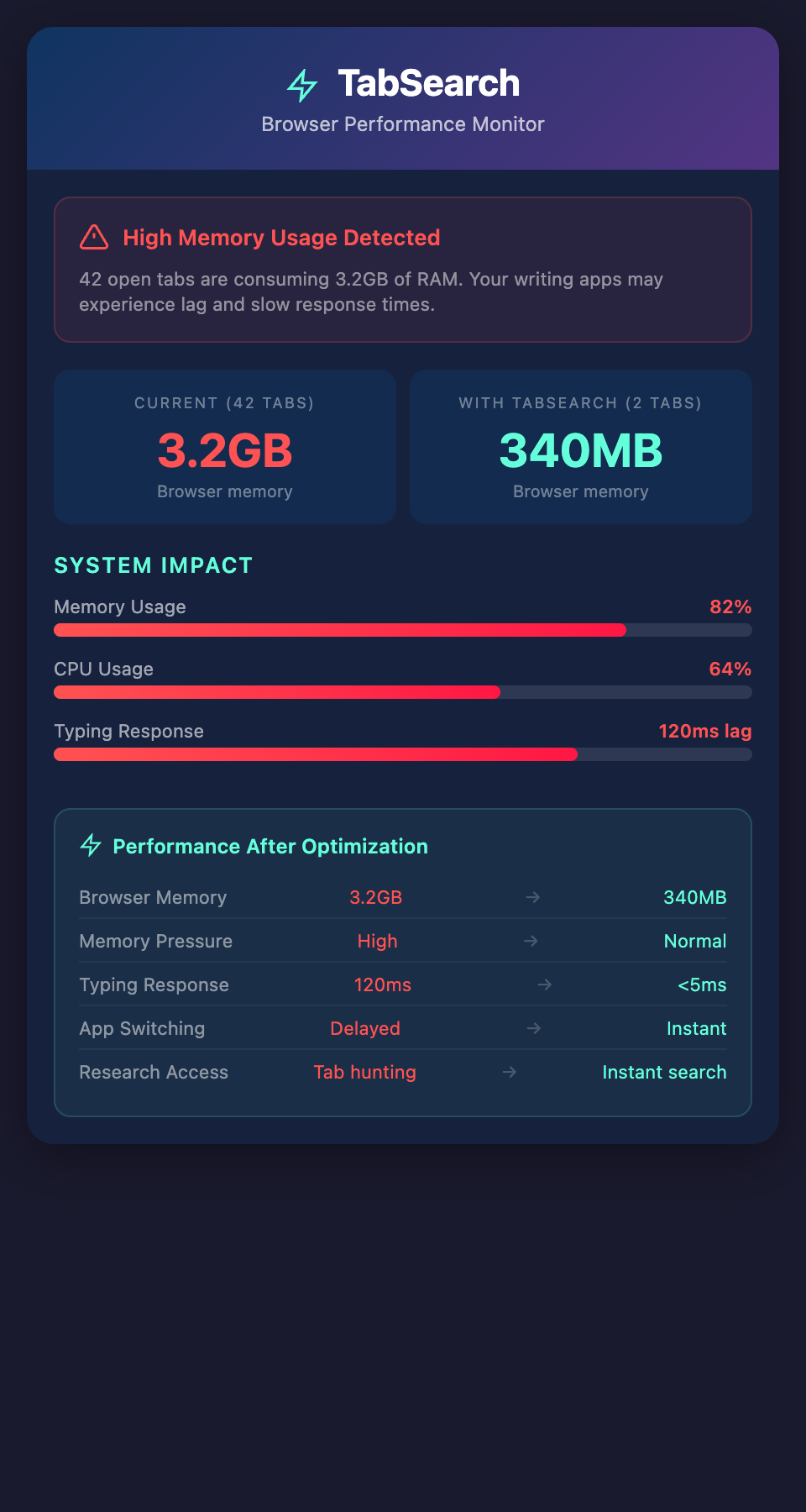
How Browsers Use Memory
Modern browsers are sophisticated applications. Each tab runs:
-
A rendering engine (converts HTML/CSS to visible content)
-
A JavaScript engine (executes scripts)
-
In-memory caches (stores page data, images, styles)
-
DOM trees (the structural representation of the page)
Each tab consumes memory independently. With 50 tabs open, you're running 50 separate browser instances in parallel.
The math is simple: More tabs = More memory = Slower system = Slower writing
The Measurement Problem
Most users don't realize how much memory their browser uses because:
System Performance is Gradual: You don't notice when memory use climbs from 20% to 60% to 80%. It's gradual degradation.
You Blame Other Things: Your writing app feels sluggish, so you blame the app, not the browser consuming 3GB of RAM in the background.
Browsers Don't Report Clearly: Safari, Chrome, Firefox—none of them make it obvious when they're consuming too much memory.
But the impact is real.
How Tab Overload Impacts Writing
Slower Typing Response: With memory pressure, even typing characters into a text editor can lag. You type and there's a 50-100ms delay before characters appear.
Slower App Switching: Switching between your writing app and research tabs takes longer as the system pages memory in and out.
System Lag: The entire computer becomes sluggish. Opening new applications takes longer. File operations are slower.
Concentration Disruption: You're not consciously thinking about performance, but you feel the lag. It breaks focus and interrupts flow.
Autosave Delays: If your writing application relies on autosave, delays can cause anxiety. Did it save? When?
None of these individually are catastrophic, but combined they create writing friction.
The Research Tab Pattern
Writers accumulate browser tabs through active research:
-
You need 40 sources for comprehensive article research
-
You're comparing approaches across multiple sources
-
You switch between 10+ tabs during the writing process
-
Each tab uses 20-100MB of memory
-
Total memory consumption: 200-4000MB
For writers, this is unavoidable. You need those tabs open for research reference.
The problem isn't that you're careless. It's that the tool is broken for your use case.
The Solution: External Research Storage
Instead of keeping all research in browser tabs, move it to a specialized research storage system that:
Stores Content Without Memory Cost:
The content is stored, indexed, and searchable—but it's not consuming memory like open browser tabs.
Provides Instant Search:
Instead of flipping through 40 tabs, search for what you need in milliseconds.
Reduces Active Tabs:
You only need 1-2 tabs open for active research. Everything else is stored and searchable.
Freed Memory:
With only 1-2 tabs open instead of 40, browser memory consumption drops by 80-90%.
System Responsiveness:
Your entire computer becomes noticeably more responsive.
The Performance Impact Quantified
Before (40+ research tabs):
-
Browser memory: 2-4GB
-
System-wide memory pressure: High
-
Typing response time: 50-150ms lag
-
App switching: Noticeable delay
-
Overall system responsiveness: Degraded
After (research in indexed database, 2 open tabs):
-
Browser memory: 200-500MB
-
System memory pressure: Normal
-
Typing response time: <5ms lag
-
App switching: Instant
-
Overall system responsiveness: Snappy
The difference is immediately noticeable.
The Writing Impact
When your system is responsive, writing improves:
Flow State: You're less distracted by technology friction. You can enter and maintain creative flow.
Faster Iteration: Editing and revising faster when typing response is instant.
Confidence: You're not worried about whether the system will lag or crash.
Sustainability: You can write longer sessions without mental fatigue from fighting technology.
More Than Just Performance
Beyond raw performance, externalizing research provides:
Better Organization: Research is stored and indexed, not scattered across tabs.
Permanence: Research persists beyond browser sessions. Close your browser without losing anything.
Peace of Mind: You know your research is safe and retrievable, reducing the anxiety that drives tab hoarding.
Focus: With research safely stored, you can focus on writing without the mental overhead of remembering 40+ tab contents.
A Simple Test
Try this experiment:
-
Close all but 2-3 browser tabs
-
Store important research in a dedicated system
-
Write for 30 minutes and notice the responsiveness difference
Most writers immediately notice the performance improvement and find the research accessibility sufficient.
Optimize for the Tool You Use Most
You spend most of your time writing, not researching. Your technology stack should be optimized for writing performance, not research hoarding.
Moving research out of browser tabs and into a dedicated research system is an optimization that serves your primary goal: writing better content faster.
Join our waitlist to move your research out of RAM and into a dedicated, searchable system—freeing your browser and computer to run smoothly while you write.