How to Organize Research Sources for Blog Writing
The Hidden Cost of Disorganized Research
As a content creator or writer, you likely maintain dozens of open browser tabs at any given moment. Each one contains a potential gold mine: a quote, a statistic, an idea, or a detailed explanation you might need to reference in your next piece. But here's the problem: tabs are a terrible filing system. They clutter your screen, slow down your browser, and worse, they disappear the moment you close them or restart.
Most writers deal with this chaos by either bookmarking frantically (creating an unusable mess of folders) or worse, rebuilding their research from scratch every time they start a new project. Neither approach scales when you're juggling multiple writing projects simultaneously.
Why Traditional Bookmarks Don't Work
Bookmarks were designed for quick navigation to websites, not for capturing and organizing actual content. You can't search the text within a page, you can't annotate directly in bookmarks, and you certainly can't quickly reference that perfect paragraph you found three weeks ago.
Consider this typical scenario: You're writing an article about content strategy. You vaguely remember finding an interesting study about reader engagement, but you can't recall which website it was on. You search your bookmarks folder labeled "Research" and find 147 bookmarks. After clicking through seven different pages, you finally find it. You've just spent 15 minutes on what should have been a 30-second lookup.
This inefficiency compounds across every project. For a single 3,000-word article, the average writer might spend 2-4 hours searching for and re-verifying sources. That's time you could spend actually writing.
Building Your Research Organization System
The Three-Layer Approach
A sustainable research organization system should have three layers:
Layer 1: Capture — Quick, zero-friction collection of sources as you find them. No thinking required. Just save the page, the quote, or the URL.
Layer 2: Categorize — Simple tagging or folder systems that reflect how you actually think about your sources. Not by website, but by topic, project, or utility.
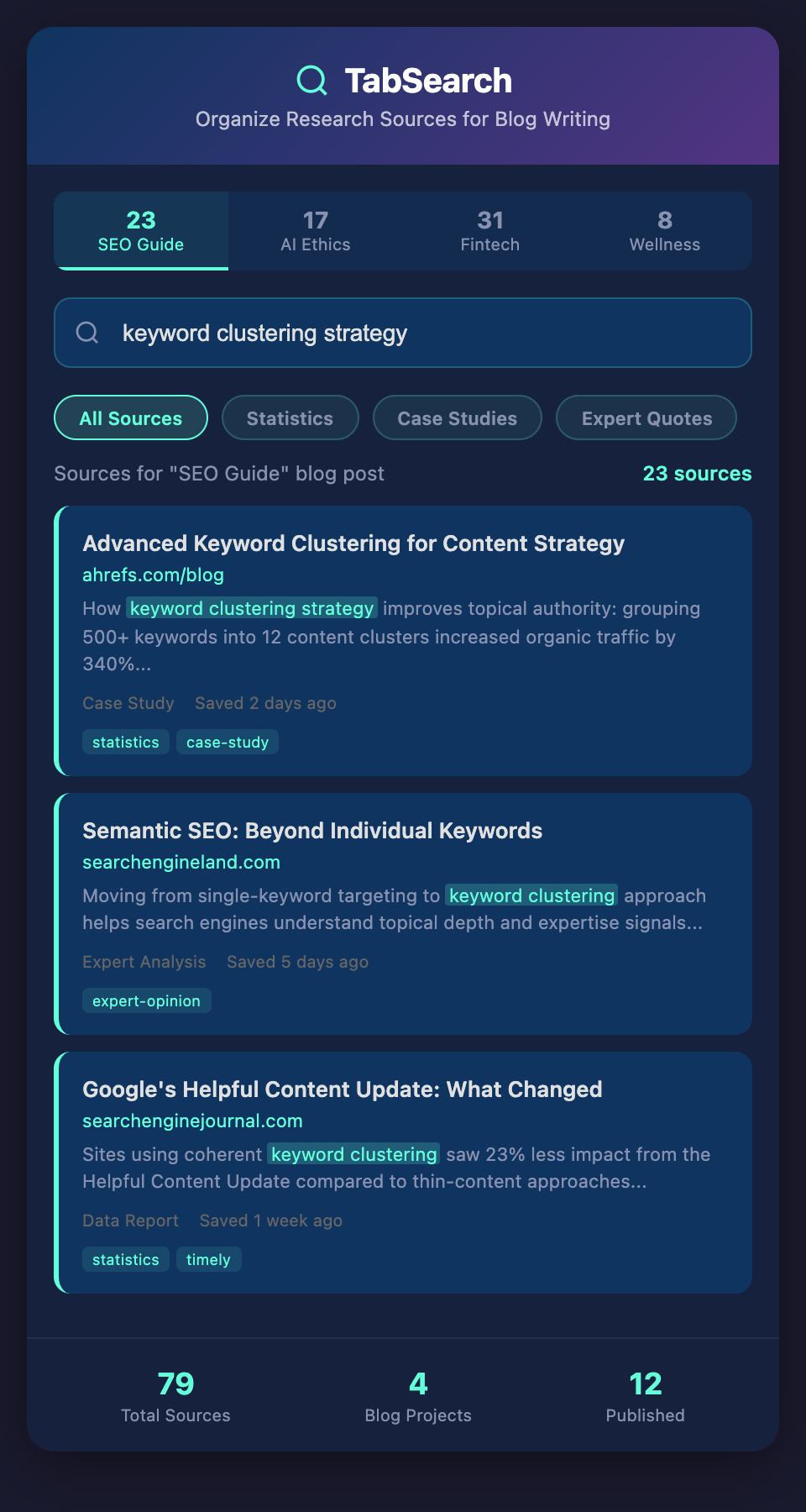
Layer 3: Retrieve — Full-text search across everything you've captured. You should be able to find that study, quote, or definition in seconds, even if you only remember part of it.
Tagging Strategies That Scale
Bookmarks with folders (like "Research > Marketing > Email") fail because content often belongs in multiple places. A post about email marketing for SaaS also relates to email copywriting and b2b strategy. Use tags instead of nested folders.
Create a simple tag system:
-
Topic tags: "email-marketing", "copywriting", "psychology"
-
Type tags: "case-study", "template", "tool", "definition"
-
Project tags: "q1-newsletter", "ebook-draft", "client-xyz"
-
Status tags: "needs-verification", "cite-ready", "example-ready"
The key is consistency. Spend 15 minutes defining your tag vocabulary, then stick to it. When you're capturing a source, think: "What project is this for? What type of content is it? What topic does it cover?"
Using Full-Text Search to Your Advantage
The real power of organized research isn't in perfect categorization—it's in being able to search every word of every page you've saved. This is the difference between remembering a source and actually being able to find it.
When you save a page, capture:
-
The full text content (not just the URL)
-
The title and publication date
-
Your own notes or highlights
Then, when you're writing and need to verify a claim or find a supporting example, search by phrase, topic, or even paraphrased concept. This works because you're not relying on memory or folder structure—you're searching actual text.
Practical Example
Imagine you're writing about remote team communication and you vaguely remember reading that async communication reduces meeting fatigue by something like 40%. Instead of:
-
Browsing your bookmarks
-
Clicking through six different sources
-
Skimming each article
You search "meeting fatigue reduction async" and immediately find the exact study with its findings highlighted. This saves 10-15 minutes per article.
Making It Sustainable
The biggest reason research systems fail is maintenance burden. You build an elaborate folder structure, use a complicated tagging system, or spend too much time annotating sources. After two weeks, you're back to ignoring tabs.
Keep your system simple:
-
Minimal required fields (project, topic, maybe one additional tag)
-
Quick capture (under 30 seconds per source)
-
Automatic organization where possible (use smart tags, let the system categorize by date)
-
Regular reviews (weekly cleanup of your current project's sources)
Connecting This to Your Writing Workflow
Once your sources are organized and searchable, the real benefits emerge:
Faster research cycles: Instead of spending 40% of your writing time hunting for sources, you spend 10%.
Confidence in citations: You can instantly verify that claim you want to include, and you have the source captured for attribution.
Building on previous work: Starting a new article in a familiar topic? Browse your tagged sources from past projects. You've already done half the research.
Spotting patterns: When all your research is in one place and searchable, you start noticing common themes, recurring experts, and patterns you wouldn't catch otherwise.
The Next Level
As your research system grows, you'll discover secondary benefits. You might notice that you have five sources all making the same point—that's evidence of a trend. You might find a single expert cited across multiple topics—that's someone worth following. You might realize you have extensive research on a topic but haven't written anything yet—that's your next article idea.
An organized research system isn't just about finding sources faster. It's about understanding your own knowledge better.
Ready to Streamline Your Research?
If you're tired of losing research in a sea of tabs and folders, there's a better way. We're building a tool that captures, indexes, and makes every page you research fully searchable—turning your scattered browser sessions into an organized, searchable database.
Join our waitlist to get early access when we launch. You'll be able to capture research once and search it forever.