Turning Scattered Browser Tabs Into Searchable Knowledge
The Browser Chaos Cycle
Open your browser. Count your tabs.
For most writers, the count is somewhere between 12 and 47. They're open from three different projects. Some are reference tabs you check repeatedly. Some are "I might read this later" tabs. Some are so old you don't remember what they are anymore.
Meanwhile, you're searching for a specific reference. Was it in one of these tabs? On your bookmarks? Saved somewhere else? You end up opening a new tab, searching the web, and finding something you probably saved already.
This is the tab chaos cycle, and it's costing you hours every month.
The solution isn't to stop researching in browser tabs. It's to turn those scattered tabs into searchable knowledge before the chaos buries you.
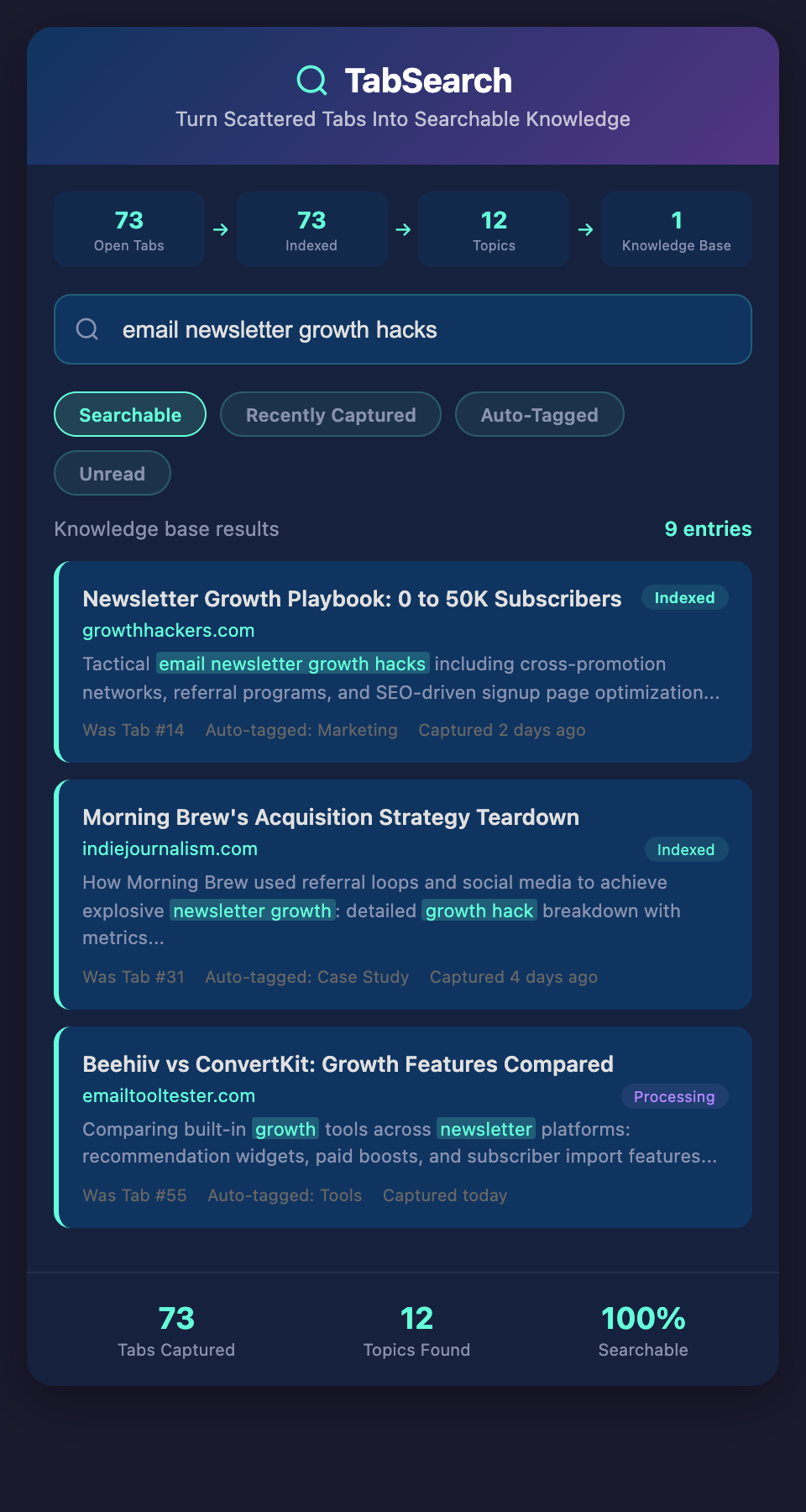
Why Tabs Are Terrible for Knowledge Management
Tabs are designed for immediate navigation, not reference. They're great when you're actively researching. They're terrible when you're:
-
Writing an article (you need quick access to sources without tabs cluttering your screen)
-
Working across multiple projects (tabs from different projects mix together)
-
Looking for past research (scrolling through 30 tabs hoping to recognize something)
-
Working weeks or months later (tabs from inactive projects are still taking up space)
-
Switching devices (tabs don't sync effectively across devices)
The fundamental problem: tabs are temporary holding places, not a knowledge system.
The Three-Step Tab-to-Knowledge Transformation
Step 1: Intentional Capture
Before closing a tab, decide: do I need this again?
If yes, don't just close the tab. Save it properly. Capture:
-
The page content (or at least save a link with context)
-
What you plan to use it for (project, topic, type of content)
-
A quick note about why it's valuable
-
Your initial reaction (is this high-quality? is it primary source? does it pass the smell test?)
This intentional capture replaces the "I'll leave it open" habit. You make an active decision about what to keep.
Step 2: Organized Storage
Store captured items in one searchable system, not scattered across bookmarks, notes, emails, and documents.
Your storage system should:
-
Support full-text search (not just URL search)
-
Allow flexible tagging (not just folder hierarchies)
-
Work across devices (capture on mobile, search on desktop)
-
Integrate with your writing workflow (access while writing without context-switching)
-
Preserve original context (not just save-as-text, but maintain source, date, author)
Choose a tool that has these features, or build a simple system using a database + search. But centralize. One place for all captured knowledge.
Step 3: Regular Purging
Once a week, close all tabs you're not actively using. But before closing, ask:
-
Did I use this tab this week?
-
Will I reference this again?
-
Is this research complete (can I move it to storage and close it)?
If yes to any: capture it. If no to all: close it.
This weekly purge means your active tabs stay focused on current projects, and completed research moves into your knowledge base.
Building Searchable Knowledge
Here's what most writers don't realize: searching is the superpower that makes everything else work.
You can have a perfectly organized folder structure, but if you can't search content, you still have to browse folders to find something. You can have inconsistent tagging, but if you can full-text search, you can still find what you need in seconds.
Full-text search means:
-
You remember a quote but not the source? Search the quote.
-
You remember a topic but not which article? Search the topic.
-
You want all case studies about a specific industry? Search for that industry across all case studies.
-
You want to see what you've read about a question from a client? Search the question.
This is the difference between a reference folder and a knowledge system.
From Tabs to Writing
Here's what happens when you set up this system:
Your writing process becomes faster:
Research phase → Capture and file sources → Close tabs → Write article → Search your knowledge base for references → Instant access to verified sources → Done
Compare to the traditional process:
Open research tab → Open writing app → Break flow to search for sources → Find some (lose others) → Continue writing → Have gaps from missing sources → Try to verify later
Which is faster? Which produces better work?
Practical Implementation
For this week:
-
Close all tabs you haven't touched in 48 hours
-
For each one, ask: do I need this after closing?
-
If yes, capture it to your storage system
-
If no, close it
For next week:
-
Continue the habit from week 1
-
Set up your capture system (if you haven't already)
-
Make capture a reflex: research something useful → immediately capture it
For next month:
-
This should be automatic now
-
Start using your searchable knowledge base while writing
-
Notice how much faster you can fact-check and reference sources
The Compounding Advantage
After a month of capturing scattered tabs into searchable storage, you'll have a searchable knowledge base of everything you've researched.
After three months, that base becomes genuinely useful—patterns emerge, connections become obvious, you realize you have extensive research on topics you're writing about.
After six months, you're writing faster and better because your research is already done and organized.
After a year, you have a searchable library of hundreds of sources, organized and accessible. That's a competitive advantage that compounds.
Stop Living in Browser Chaos
Your browser is drowning in tabs. Your knowledge is scattered across bookmarks, documents, emails, and memories. Something has to change.
The change isn't complicated: capture intentionally, store centrally, search powerfully, purge regularly.
Take control of your research today. Join our waitlist to get early access to a tool that turns your browser sessions into searchable knowledge—one that captures pages once and makes them findable forever.