Creating Searchable Research Archives from Web Content
The Archive Imperative
You've been researching for two years. You've read hundreds of papers, navigated countless websites, and accumulated vast amounts of information. Now you're writing your dissertation chapter, and you need that specific study from last year about demographic variables. You remember it was important, but not exactly why or where you found it.
If the information exists only in your memory or in closed browser tabs, it might as well not exist. You've invested the time in finding and processing it, but without a searchable archive, you can't leverage that investment.
A searchable research archive converts hours of research into permanent, queryable knowledge. Instead of losing research progress when you close tabs or computers, you have a permanent library you can search for years.
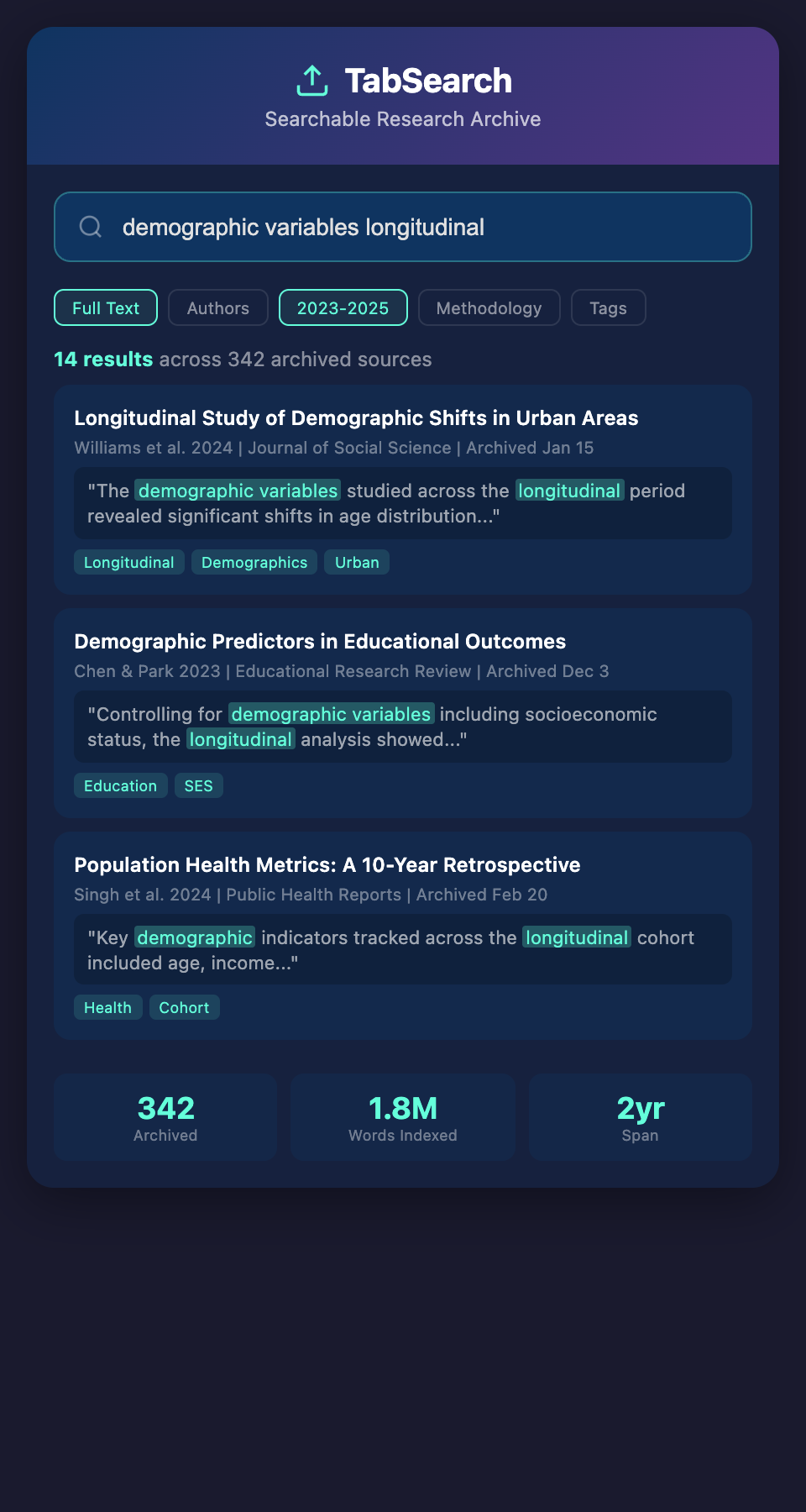
What Makes an Archive "Searchable"
Not all archives are equally useful. A searchable research archive has specific characteristics:
Full-Text Indexing
You can search the actual content of every source, not just titles and metadata. This is critical. If you remember a phrase from a paper, you should be able to find it by searching that phrase.
Accessible Metadata
Every source has structured metadata (author, date, publication, your tags, your relevance rating) that you can search or filter by.
Preservation of Context
Your annotations, the passages you highlighted, and the context of why you saved a source should be preserved. A five-year-old search result is useless without context explaining why it mattered.
Permanent Storage
The archive persists even if the original source disappears from the web. Your local copy is authoritative.
Multiple Search Interfaces
You should be able to search by full-text query ("neural networks"), by metadata filters (year > 2020, methodology = "experimental"), by tags, or by connections to other sources.
Choosing Your Archive Foundation
Three primary approaches to building a searchable archive:
Option 1: Reference Manager with Full-Text Indexing
Tools like Zotero or Mendeley can store PDFs and index them:
Setup:
-
Add papers to your reference manager (using the browser connector or manual entry)
-
Ensure PDFs are downloaded and stored locally
-
Enable full-text indexing (Zotero does this automatically)
-
Use the search function to query across all papers
Strengths:
-
Built for academic research
-
Citation export is seamless
-
Local storage (you own your data)
-
Full-text search of PDFs
Limitations:
-
Search is functional but not sophisticated (limited filtering, no regex)
-
Web content (not PDFs) is harder to capture and index
-
Doesn't capture your full research context (only what you attach as PDFs or notes)
Option 2: Note-Taking System with Full-Text Search
Obsidian or similar tools emphasize searchability:
Setup:
-
Create a note for each source you research
-
Include source metadata (author, date, link)
-
Include excerpts from the source
-
Include your annotations
-
Link related notes
-
Use full-text search to find content
Strengths:
-
Extremely flexible structure
-
Powerful search and filtering
-
Graph view shows connections between sources
-
You control the format
Limitations:
-
Manual entry (you're typing content into notes)
-
Not designed specifically for academic sources
-
Harder to generate bibliographies
Option 3: Dedicated Web Archive + Search
Advanced approach for researchers managing very large collections:
Tools like Memento, Hypothesis, or custom database solutions
Setup:
-
Capture web pages and PDFs automatically (tools like Wayback Machine API or custom browser extensions)
-
Store content locally
-
Index using full-text search engine (Elasticsearch, Meilisearch, or even simple SQLite)
-
Create a web interface for searching
Strengths:
-
Scalable to thousands of sources
-
Sophisticated search capabilities
-
Can capture web content that changes or disappears
-
Can search across custom fields
Limitations:
-
Requires technical setup
-
Maintenance overhead
-
Not pre-built for researchers (you're building your own tool)
Practical Archive Architecture for Most Researchers
For most researchers, hybrid approach works best:
Layer 1: Primary Archive (Zotero + Full PDFs)
-
Your main reference manager
-
Every important source exists here as a PDF
-
PDFs are indexed and searchable
-
This is your authoritative source
Layer 2: Contextual Notes (Notion or Obsidian)
-
Create a database/vault parallel to your reference manager
-
One note per source with:
-
Citation details (link to source in Zotero)
-
Excerpts and highlights
-
Your annotations explaining why it matters
-
Tags (methodology, research question, relevance rating)
-
Links to related sources
-
-
Use search to find connections across sources
Layer 3: Backup and Export
-
Quarterly export of your Zotero library as BibTeX or CSV
-
Quarterly export of your notes
-
Store backups in cloud storage (Dropbox, Google Drive)
-
This protects against data loss
Layer 4: Full-Text Search Index (Optional but Powerful)
-
For researchers with 500+ sources, consider a search engine
-
Tools like Meilisearch (easy) or Elasticsearch (powerful but complex)
-
Index content from both Zotero and your notes
-
Search across everything simultaneously
Populating Your Archive Strategically
A powerful archive is worthless if it's empty. Three population strategies:
Strategy 1: Capture Going Forward
From today onward, add every source to your archive:
-
Use browser connector to add papers to Zotero
-
Create a parallel note in Notion as you read
-
Tag and annotate as you go
Timeline: Your archive grows from zero to 100 sources in 3-4 months of regular research.
Strategy 2: Rapid Historical Import
Archive your past research:
-
Go through browser history and bookmarks from past months
-
Find the papers you actually read (cull the ones you never opened)
-
Batch-import to Zotero
-
Go through papers you've cited in previous work
-
Add those to the archive with retroactive annotations
Time investment: 6-10 hours for a past year of research
Output: 200-300 sources immediately available
Strategy 3: Hybrid Seed-and-Grow
Start with your most important sources:
-
Identify 20-30 foundational papers in your field
-
Add these to your archive with careful annotations
-
Start capturing new sources going forward
-
Over 2-3 months, gradually add historical sources as you encounter them
This creates an immediately useful core archive while avoiding the overhead of capturing everything.
Search Strategies for Your Archive
A searchable archive is only useful if you search it effectively:
Full-Text Search
Search for specific phrases or keywords:
-
"learning outcomes assessment"
-
"structural equation modeling"
-
"qualitative coding"
This finds any source mentioning your search terms.
Tag-Based Filtering
Search by tags you've created:
-
Papers tagged "methodology-type:experimental"
-
Papers tagged "relevance-rating:5"
-
Papers tagged "research-question:student-engagement"
Combine multiple tag filters: "Show me all experimental methodology papers rated 4+ on relevance."
Metadata Filtering
Filter by author, year, publication, or your own metadata:
-
Papers published after 2020
-
Papers by author "Smith"
-
Papers you added in the last month
Connection-Based Discovery
In tools with linking support (Notion, Obsidian):
-
Look at papers that cite paper X
-
Look at papers citing the same work
-
Follow citation chains to discover lineage
Time-Based Queries
Find research from specific periods:
-
"What did I research in March 2024?"
-
"Which papers did I rate highest in the last month?"
Archive Maintenance Workflow
An archive degrades without maintenance. Implement regular upkeep:
Monthly Review (30 minutes)
-
Review papers added that month
-
Verify tags are appropriate
-
Add missing metadata
-
Ensure PDFs are properly stored
Quarterly Cleanup (1 hour)
-
Remove duplicates
-
Update citations if information was incomplete
-
Review your tagging system; make it more consistent if needed
-
Create backups of exports
Annual Deep Review (2-3 hours)
-
Search your entire archive for patterns
-
Identify which research questions dominate your work
-
Identify papers that should be removed (now irrelevant)
-
Create a "greatest hits" list of your most important sources
Using Your Archive for Writing
When you're writing and need to reference a source:
-
Search your archive for the topic
-
Review all relevant sources at once
-
Compare findings across sources
-
Identify consensus and controversy
-
Draft your synthesis with full knowledge of what you've read
-
Export citations directly to your document
This is faster and higher quality than:
-
Trying to remember papers you've read
-
Searching Google Scholar for every claim
-
Re-discovering papers you've already found
Archive as Intellectual History
Over years, your archive becomes more than a research tool—it's a record of your intellectual development. You can:
-
Search for how your thinking has evolved on a topic
-
Identify themes that have consistently interested you
-
See gaps in your knowledge that merit attention
-
Share your curated archive with colleagues or mentors
Researchers sometimes use their archives as the foundation for review articles, tutorials, or course materials.
The Accessibility Question
A searchable archive requires access. The most powerful archives:
-
Are accessible from any device
-
Have offline capability (you can search without internet)
-
Support export and migration (you're not locked in)
-
Include version history (you can revert changes)
This is where institutional solutions sometimes fall short. Many universities have library systems with searchable archives, but they're locked behind paywalls or institutional login, and your access disappears when you graduate.
A personal searchable archive you control solves this. You maintain access for life.
The Missing Integration
Most researchers maintain separate systems: a reference manager (Zotero), notes (Notion), and writing environment (Google Docs). Each has different search interfaces, and they don't know about each other. Searching for a concept requires searching each tool independently.
The ideal archive integrates all of this: one search interface across references, notes, and writing, with semantic understanding of how sources relate to each other.
Ready to build a permanent, searchable archive of everything you research? Join our waitlist for early access to a tool that automatically captures, indexes, and archives your entire research environment, making everything findable forever.