Preventing Research Reference Loss: Systems That Work
The Reference Disappearance Crisis
It happened: You remember a critical study you found six months ago. It was perfect for your current chapter. You know roughly when you found it, what it was about, and why it mattered. You search your reference manager, your bookmarks, your email. Nothing. You search Google Scholar with every keyword combination you can remember. The paper exists, but you can't find it again.
Or worse: You open a tab from your bookmarks bar and get a 404 error. The website disappeared or changed its URL structure. The PDF you'd saved is somewhere on an old laptop that's currently unplugged. The data file from that 2008 study is no longer hosted online.
This isn't paranoia—it's a genuine problem. Researchers regularly experience reference loss through:
-
Broken links (websites become inaccessible)
-
Moved content (papers change URLs as databases update)
-
Forgotten sources (you found it once but didn't save it properly)
-
Device loss or failure (your laptop crashes before you backed up)
-
Account deletion (ResearchGate or Academia.edu accounts get suspended)
-
Paywall changes (a paper you accessed once is now behind a stricter paywall)
The stress of losing a reference you've already spent time with is compounded by the wasted time searching for it again.
Why Standard Backup Isn't Enough
Most researchers implement basic backup: they sync their reference manager to the cloud, they assume their bookmarks backup to the browser. But this doesn't fully solve the problem.
Synced reference managers preserve your citations and notes, but they don't necessarily preserve the full PDFs, especially if you're using a free tier. And the original source might disappear from the web; your reference manager can't restore something that no longer exists.
Browser bookmarks sync across devices, but many researchers don't even trust bookmark organization. More critically, bookmarks are just links. If the link breaks, you have nothing.
Files on your computer feel safe until your hard drive fails or you spill coffee on your laptop. Local storage is a false sense of security.
A Multi-Layer Reference Preservation System
Preventing reference loss requires redundancy at multiple levels:
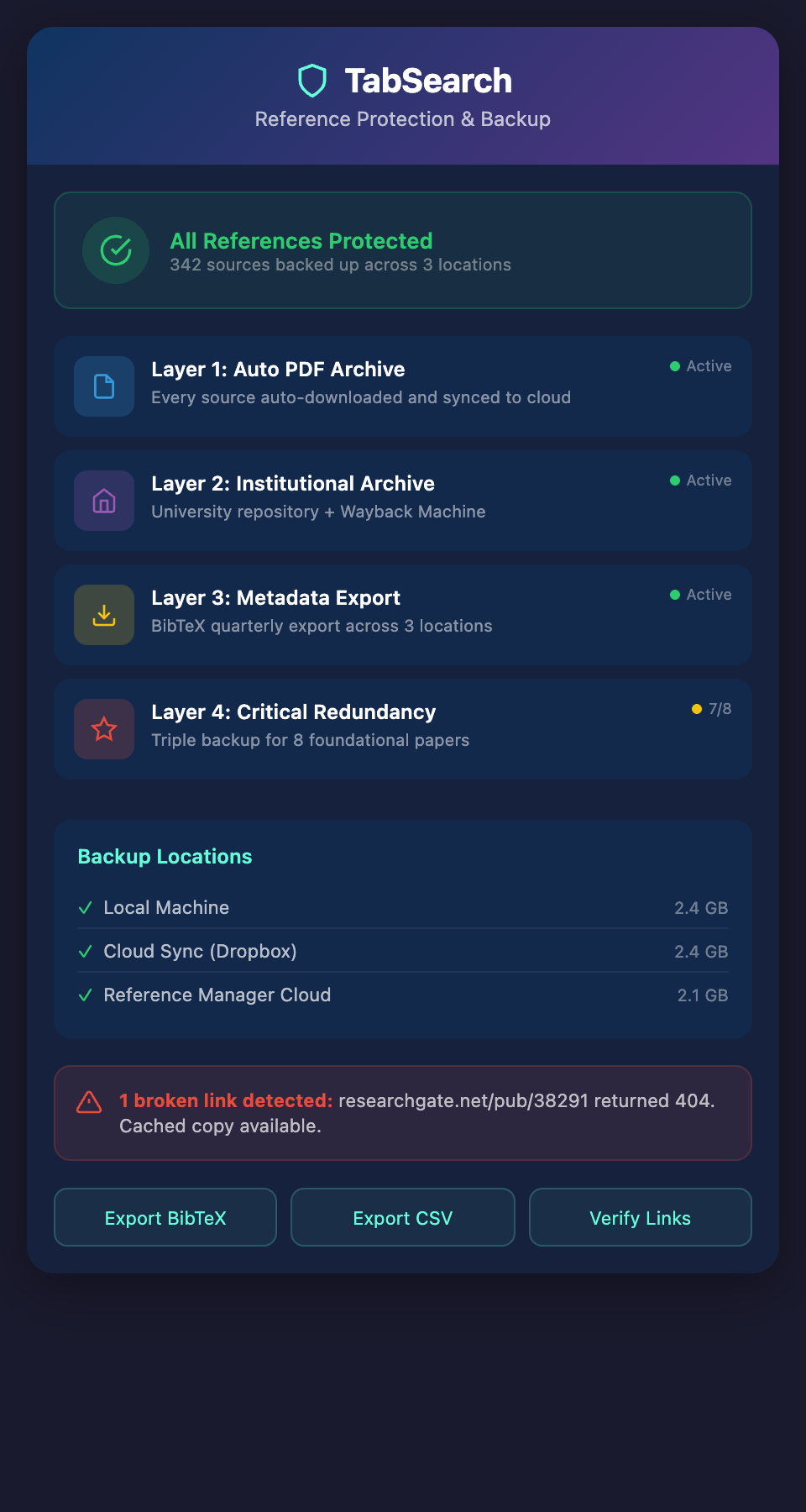
Layer 1: Automatic PDF Archiving
Every source should exist in at least two forms: the original online location and a local copy that you control.
Implementation:
-
When you add a paper to your reference manager, automatically download the PDF (Zotero does this; Mendeley requires configuration)
-
Configure your reference manager to store PDFs in a cloud-synced folder (Dropbox, Google Drive, OneDrive)
-
Every PDF is instantly backed up to three places: your computer, your reference manager's cloud, and your cloud sync folder
If the original paper disappears or its URL changes, you have a copy. If your computer crashes, your cloud backups exist. If your reference manager account is compromised, your cloud folder has everything.
Time investment: 5 minutes to configure, then automatic.
Layer 2: Institutional Repository Archiving
Many universities participate in institutional repositories and offer permanent archiving of academic publications. Your university library might have a service that preserves copies of papers you've accessed through institutional login.
Additionally:
-
Check if your university offers access to Internet Archive's Wayback Machine Premium or similar services
-
Publish your research sources to your own institutional repository if you have access
-
For critical papers, use Sci-Hub not to circumvent paywalls (legally, this is gray), but understand that widely-distributed copies are less likely to disappear entirely
The goal: Critical sources exist in multiple independent archives, not just your personal backup.
Layer 3: Comprehensive Metadata Backup
Even if you preserve the PDF, you'll want the metadata (author, date, publication info) in case you need to verify the source or locate it again.
Create quarterly exports of your reference library:
-
Export your entire library as BibTeX, RIS, or CSV format
-
Save this export in multiple locations: your cloud storage, email it to yourself (Gmail archives), store it on a USB drive
-
These exports are lightweight (a library of 500 papers in BibTeX is under 5MB) but capture all the metadata
If your reference manager is ever compromised or deleted, you have a text-based backup of everything. You can import it into a different manager in minutes.
Quarterly task: 5 minutes.
Layer 4: Critical Source Redundancy
Some sources are more critical than others. For your core reference works—the five to ten papers that your entire research foundation rests on—go beyond standard backup.
Implement triple redundancy:
-
Original URL: Bookmarked and documented
-
Personal PDF copy: In your reference manager and cloud sync
-
Alternative accessible copy: Available through ResearchGate, Academia.edu, or author's personal website if possible
-
Printed or archived version: For truly critical papers, some researchers print or maintain a more permanent copy
Yes, this seems excessive. But if one of your five foundational papers becomes inaccessible, the cost of losing it is very high. The cost of maintaining triple backup is very low.
Building a Searchable Backup Index
Backup is worthless if you can't find things. Your reference archiving strategy should include retrieval capability.
Create a Searchable Metadata Database
Beyond your reference manager, maintain a simple searchable index of critical sources:
-
Create a Notion database or Airtable database with key metadata:
-
Title, Authors, Year
-
Key findings (1-2 sentence summary)
-
Your tags (methodology, research question, theme)
-
Link to original source
-
Link to your backed-up PDF
-
Date added to your library
-
This database serves multiple purposes:
-
Redundant searchability: If your reference manager fails, you can search your metadata database
-
Serendipitous discovery: Browsing or filtering your database often reveals connections you'd forgotten
-
Quick reference: It's faster to scan a list of summaries than to open individual PDFs
Population strategy: As you add sources, spend 2 minutes adding them to your metadata database. The time investment pays off in retrieval efficiency.
Preventing Loss of Other Critical Research Assets
Beyond papers, researchers accumulate other critical assets vulnerable to loss:
Datasets
-
If you rely on publicly available datasets, download them locally even if you're not immediately analyzing them
-
Store datasets in version-controlled folders (git or simple backup) so you maintain dataset lineage
-
Document the source URL and access date for reproducibility
Code and Analysis Scripts
-
Store all analysis code in version control (GitHub, GitLab, or institutional server)
-
Include in your repository a README with dataset source, access date, and data dictionary
-
Backup your repository to multiple remote locations
Research Notes and Lab Notebooks
-
Store your research notes in a tool that emphasizes version history (Notion, Obsidian, or version-controlled plain text)
-
Never maintain research notes only in a tool that doesn't back up or export easily
-
Export your notes quarterly
Institutional and Proprietary Resources
-
Catalog access credentials for paywalled resources you've used
-
Document your institution's proxy URL
-
If your affiliation changes, archive access to institutional resources before losing access
The Prevention-Restoration Mindset Shift
Researchers who never lose references operate from a prevention mindset, not a recovery mindset. They assume the web is fragile; they assume devices fail. They build systems assuming loss will happen and plan accordingly.
This mindset makes you more strategic: you invest in preservation upfront so you don't spend time on recovery later. The time spent configuring automatic PDF backup in your reference manager (5 minutes) prevents hours of searching and frustration later.
The Ideal System
The most effective protection combines:**
-
Automatic capture and archiving (happens without your intervention)
-
Full-text indexing (you can search preserved content even if the original disappears)
-
Multiple backup locations (cloud, institutional, local)
-
Metadata backup and restoration capability (if everything fails, you can rebuild from exports)
Ready to guarantee your research references never disappear? Join our waitlist for early access to a tool that automatically backs up, indexes, and preserves every research source you encounter, permanently.