Seamlessly Integrating Browser Research Into Your Writing Workflow
The Context Switching Problem
Your writing workflow shouldn't be fragmented:
Current frustration: You're writing a paragraph about carbon pricing mechanisms. You need to verify a claim, find supporting data, and cite a specific passage. So you:
-
Save your draft (so you don't accidentally overwrite it)
-
Open your browser and search for the source
-
Find it, read the relevant section
-
Copy the relevant passage
-
Open your document again
-
Manually format the citation
-
Paste both the passage and citation
-
Check that formatting is correct
-
Return to writing
This process breaks your concentration and wastes 10-15 minutes of each writing session.
Integrated workflow: You write about carbon pricing mechanisms. You reference your research system directly from your word processor, retrieve the relevant passage with one click, the citation auto-formats, and you return to writing. The entire detour takes 30 seconds.
This difference—fragmentation vs. integration—determines whether research feels like collaboration (research informs writing seamlessly) or opposition (research constantly interrupts writing).
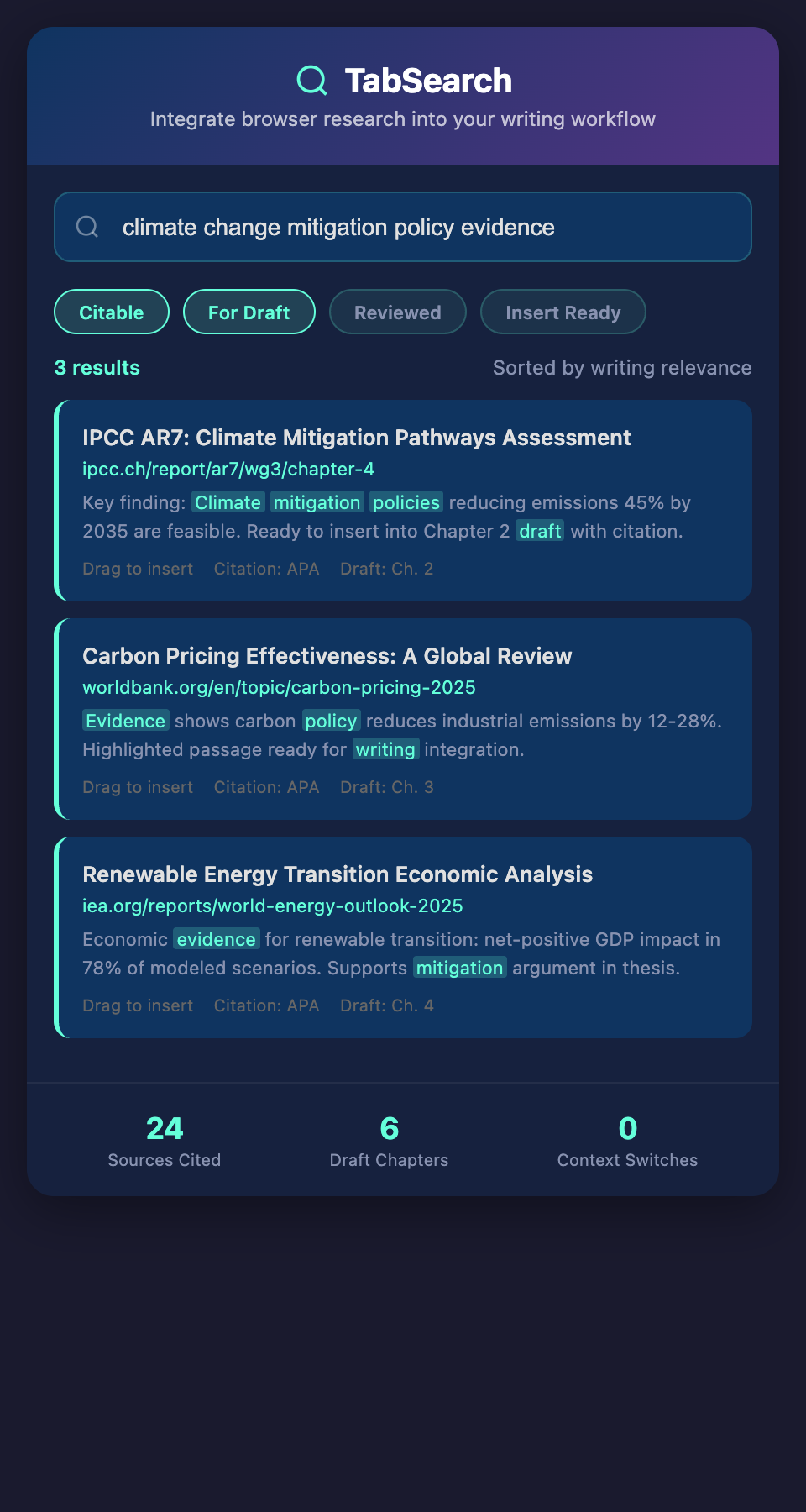
What Integration Actually Means
Integration isn't just having your research accessible while writing. True integration means:
Direct Access From Your Writing Tool
Whether you're writing in Google Docs, Word, Notion, or a plain text editor, your research system is accessible without leaving the application. You don't open a separate browser tab or application—you query your research from within your writing environment.
One-Click Citation
When you reference a source, generating a properly formatted citation should be one click. Not searching for citation format, not manually entering author names, not checking which style you're using—just "cite this" and it's done in the required format.
Automatic Bibliography
As you cite sources, your bibliography builds automatically in the background. You don't manually maintain separate sections—your document always has a complete, consistent bibliography.
Passage Retrieval
When you want to include a quote or reference specific data, you search your research system and retrieve the exact passage without copying and pasting or manual text entry.
Inline Formatting
Quotes, data, and citations should format correctly as you insert them, not requiring post-formatting in the document.
The Technical Integration Points
Footnote and Citation Systems
Modern word processors (Word, Google Docs) have built-in citation systems. Integration means your research system works directly with these systems:
-
Insert citation → search your research system from the citation dialog
-
Choose source → auto-generate citation in the required format
-
Update style → bibliography updates automatically
Open Document Protocols
Open standards like CSL JSON (Citation Style Language) let research systems and writing tools communicate:
-
Your research system exports citations in CSL format
-
Word/Docs imports these citations
-
Citation formatting updates automatically if you change styles
This standardization means your research system works with multiple writing tools without custom integration.
Plugin Architecture
Writing tools increasingly support plugins that extend functionality:
Word plugins let your research system integrate directly into Word, adding a "Research" button that opens a search panel.
Google Docs add-ons let you search and cite your research without leaving Google Docs.
Markdown integration for researchers who write in Markdown and compile to PDF/Word. Your research system integrates with Markdown, auto-generating citations in Markdown format.
Real-World Integration Workflow
Here's how integrated research and writing actually works:
Starting Your Paper
You create a new document in your word processor and select your citation format (APA, Chicago, etc.). The research system detects this and will auto-generate citations in APA format.
Writing Naturally
You write: "Recent research suggests that carbon pricing mechanisms create perverse incentives for energy companies to lobby for policy modifications."
You pause and think: "Do I have a citation for that? Let me check."
Without integration: Open browser → search research system → find source → note the authors → return to document → manually type citation → check formatting
With integration: Right-click "Carbon pricing mechanisms" → search research system (searches within writing tool) → see matching sources → click to insert citation → citation auto-formats
Cited Passage Inclusion
You're writing methodology and want to include a direct quote from a key paper. You open your research search panel (integrated into the writing tool) and search "methodology."
Results show papers containing methodology discussions. You click on one, see the relevant passages, and click "quote this passage." The passage appears in your document with quotation marks, and the citation auto-populates.
Dynamic Bibliography
As you've been writing, your bibliography section has been automatically updating with every source you've cited. You don't need to manually manage it—it's always current and consistent.
Collaboration Benefits
If you're writing with co-authors, they all see the same research system and citations. If one person adds a new source, everyone's documents can immediately cite it. No "Wait, which citation format did Sarah use?" confusion—it's consistent because it's all generated from one place.
Integration Across Multiple Tools
Researchers use multiple writing tools depending on context:
-
Google Docs: For collaborative writing with advisors or co-authors
-
Microsoft Word: For formal submissions and journal articles
-
Notion: For project management and brainstorming
-
Markdown/Text editors: For drafting and version control
A properly integrated research system works across all these tools:
Google Docs add-on: Search and cite research directly in Google Docs.
Word plugin: Research button opens search panel within Word.
Notion database: Research sources appear as Notion database entries you can reference.
Markdown support: Citation syntax (e.g., @smith2020) auto-expands to formatted citations when compiling.
You shouldn't need to change workflow based on which writing tool you're using.
Citation Format Flexibility
Integration means supporting multiple citation formats:
Your research system should support:
-
APA (psychology, social sciences)
-
Chicago (history, humanities)
-
MLA (literature, languages)
-
IEEE (engineering, computer science)
-
Harvard (physics, some sciences)
-
Custom formats for specific journals
When you change citation style (for different papers, different journals, different disciplines), all citations update automatically.
Data Preservation in Documents
A critical aspect of integration is that your documents remain useful even if the research system becomes unavailable:
Bad integration: Your document is filled with links to the research system. If the system goes down, your citations break.
Good integration: Your document contains complete citation information. If you lose access to the research system, your document still has all the citation data and can be reformatted as needed.
This means storing complete citation metadata in your document, not just links.
Handling Collaboration and Research Sharing
When collaborating, integrated research systems should support:
Shared Source Collections
Multiple writers access the same source collection, ensuring consistent citations across the document.
Shared Citation Tracking
Everyone sees the same bibliography in real-time, preventing duplicate citations and ensuring consistency.
Annotation Sharing
When someone adds a note to a source (e.g., "This paper has outdated methodology"), everyone sees it.
Version Control
Tracking changes to citations and bibliography entries as people edit.
Real-World Example: A Dissertation
A doctoral student using an integrated research system writes a 100-page dissertation:
Week 1-8: Literature review. As she researches, she continuously adds sources to her research system. She writes about her findings and cites sources directly from her search panel. Bibliography builds automatically.
Week 9-12: Methodology and results. She references previous research and adds citations without disrupting her writing. New sources are searched and cited immediately.
Week 13-16: Discussion and revisions. Her advisor suggests adding sources on a new topic. She searches the research system, finds the sources, cites them, and bibliography updates.
Final submission: Her dissertation has 178 citations, all consistently formatted, in the required Chicago format. Her advisor requested she switch to APA for a journal submission—all citations and bibliography update automatically.
Without integration: This would have involved weeks of manual citation work. With integration, citations were generated as she wrote.
Migration and Backward Compatibility
Integration should make migration smooth:
If you've been using a different citation system (Zotero, Mendeley, etc.), integration should:
-
Import your existing citations
-
Detect citations in your existing documents
-
Update them to link to your new research system
-
Preserve your existing bibliography format
This means switching research systems doesn't require reformatting existing documents.
Performance and Responsiveness
Integration only works if it's fast:
-
Searching research system from within writing tool should return results in <1 second
-
Inserting citations should be instant (<500ms)
-
Bibliography updates should be seamless (no visible processing)
Slow integration is worse than no integration—it interrupts writing.
Addressing Privacy in Integration
Integrated systems must respect privacy:
-
If your research is private and local-only, integration shouldn't require uploading documents or citations to cloud services
-
Plugin communication should be encrypted
-
Your writing tool shouldn't have access to research metadata you haven't explicitly shared
Privacy-respecting integration is possible and necessary.
Building Your Integrated Workflow
To implement integrated research and writing:
Step 1: Choose writing tools you use most (Word, Google Docs, etc.)
Step 2: Ensure your research system supports these tools (direct plugin, standardized export format, etc.)
Step 3: Set up citation format for your current project
Step 4: As you research, add sources to your system instead of manual bookmarks
Step 5: As you write, search and cite directly from your writing tool
Step 6: Let bibliography auto-generate and formatting auto-update
The investment in integration pays off immediately: hours saved on citation formatting, fewer citation errors, faster writing workflow.
When Integration Isn't Possible
Some writing workflows don't support integration:
-
Writing in PDF editors
-
Using word processors without plugin support
-
Writing in proprietary systems
-
Offline-only writing tools
For these scenarios, your research system should at least support easy export: copy citations, export bibliographies, or provide one-click formatting that you paste into your document.
Future of Integrated Research
As research and writing tools evolve, integration will become more seamless:
-
Real-time bibliography as you write (not post-hoc)
-
AI that automatically detects when you need to cite something
-
Seamless collaboration where research system stays synchronized across co-authors
-
Citation graphs showing how sources relate to each other within your document
The researchers who build integrated workflows today have a significant productivity advantage over those managing research and writing separately.
Ready to stop switching between research and writing? Join our waitlist for a system that integrates directly with your writing tools, turning research into writing without friction.