Centralize Scattered Coding Resources in One Searchable Place
The Resource Fragmentation Problem
Your coding knowledge is scattered:
-
Bookmarks: 300+ items in Chrome, organized haphazardly, many forgotten
-
Gists: 40+ GitHub Gists from over the years, many outdated
-
Notion: A personal wiki that started strong but became outdated
-
Browser history: Searchable but limited to titles and URLs, not content
-
Notes: Scattered markdown files in various folders and Obsidian vaults
-
Open tabs: 20+ tabs at any given time, mix of current work and old research
-
Project comments: Code comments in old projects that have relevant solutions
-
Emails: Useful code snippets shared by colleagues, buried in threads
-
Slack: Code solutions discussed and shared, archived and forgotten
-
Project READMEs: Documentation in repos, forgotten after the project ends
When you need something, you don't know where to look. Do you search your bookmarks or Gists? Google? Your browser history? You usually end up re-searching instead of finding what you already have.
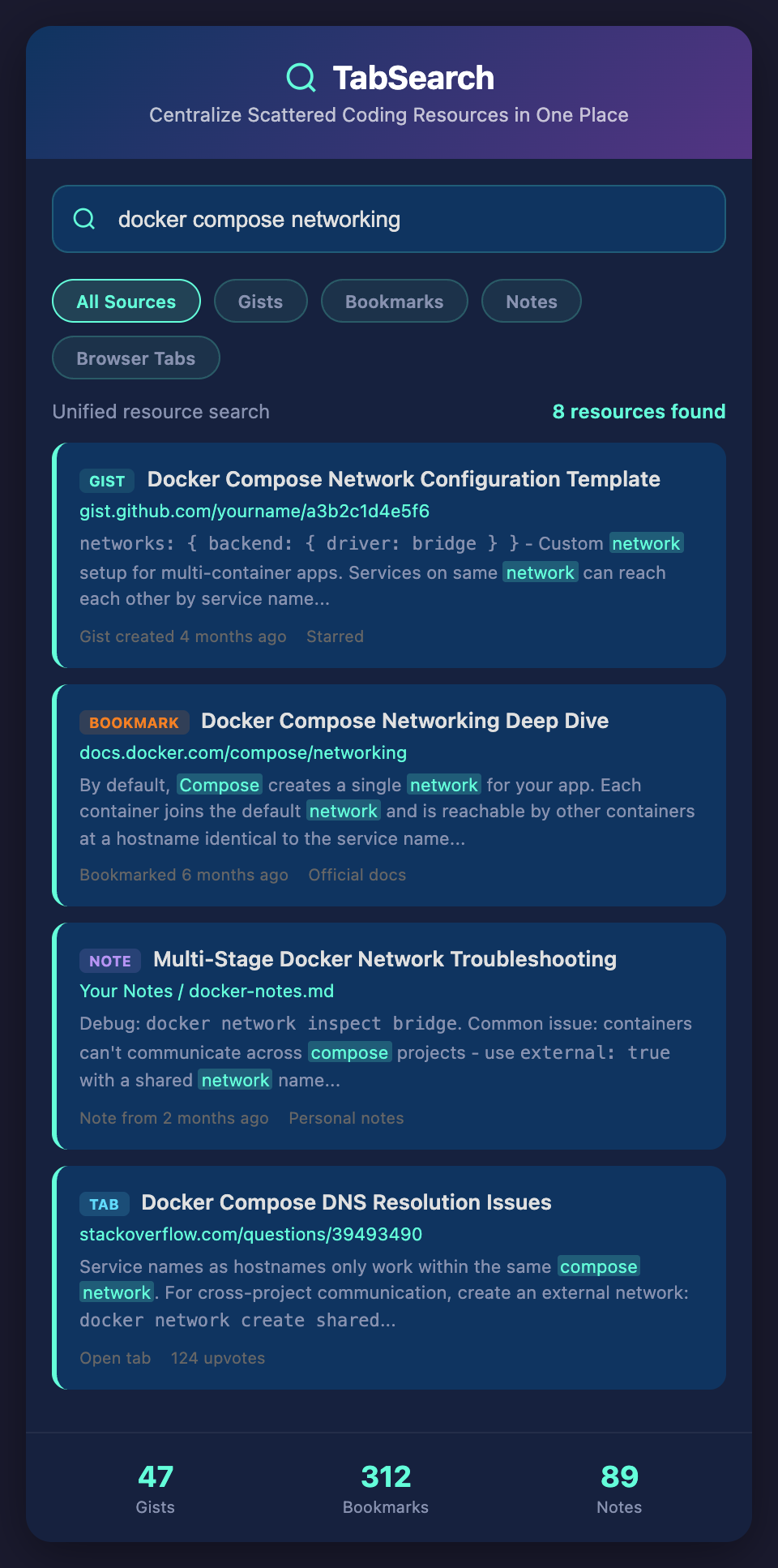
The Cost of Fragmentation
Duplication: You have the same resource in two places (bookmarked and Gisted). You don't realize it's duplicate.
Loss: You had a great article about error handling, but you can't find it. You re-search and sometimes find it again, sometimes don't.
Inconsistency: You link to the same resource in different projects but can't update all the links easily.
Complexity: Maintaining multiple systems (bookmarks, Gists, notes, wiki) requires effort. Most developers use the easiest system (bookmarks) and abandon the others.
Discoverability: When you're stuck, you know you found a relevant resource before, but you can't find it. You settle for a re-search.
The Ideal: One Searchable Place
Everything in one unified interface:
-
Your bookmarks
-
Your Gists
-
Articles you've read
-
Code snippets you've collected
-
Notes you've written
-
Project documentation
-
Team shared resources
-
Even closed browser tabs (for context)
All unified, all indexed, all searchable by content.
When you need something, one search finds it across all these sources.
Different Resource Types, Same Interface
You might have:
Articles: Blog posts, tutorials, guides you've read and found useful
Code examples: Snippets from Stack Overflow, GitHub repos, tutorials you've saved
Documentation: Official docs, library guides, framework references
Tools: Links to code sandboxes, testing tools, debugging tools
Configuration examples: Webpack config, Docker setup, GitHub Actions workflows
Decision records: "Why we chose Vue over React", documented in Markdown, linked to original research
All in one searchable system.
Search Across Heterogeneous Resources
Most search tools are designed for homogeneous content (all articles, all code). You need search that works across different types:
Search "authentication" and get:
-
Blog post about OAuth
-
Code example showing JWT implementation
-
Stack Overflow answer about session vs. token auth
-
Documentation from your auth library
-
Your own implementation from a previous project
-
Team decision record about your auth approach
All on one results page, organized by relevance, source type, and tag.
Combining Curation and Discovery
Some resources you intentionally collect (bookmarks, saved Gists). Others are discovered incidentally (tabs you've opened, pages you've researched).
A good system combines both:
Intentional curation: You bookmark something, it goes in your unified library
Passive collection: Everything you research gets collected automatically
Active organization: You tag and describe resources, improving discoverability
Collective knowledge: Your team shares curated resources, building a team library
The Missing Bookmark Features
Bookmarks have been around for 30 years, but they're still primitive:
-
No full-text search (Chrome can only search by URL and title)
-
No versioning (you bookmark something, it changes, you don't know)
-
No collaboration (your bookmarks aren't shared)
-
No context (why did you bookmark this?)
-
No rich preview (you see the title, not why it's valuable)
A better bookmarking system would have:
-
Full-text search of content
-
Snapshots (archive what you bookmarked so you can see it even if it changes)
-
Sharing with teams
-
Tags and descriptions
-
Rich preview showing the most relevant sections
-
Related resources (automatically surface similar items)
Building on Your Research
The moment you research something, it becomes part of your library:
A year of development = hundreds of articles read, dozens of code examples found, weeks of research conducted. If it's all automatically captured and indexed, you have a library of your own learning.
You can browse it to remember what you've learned. You can search it to find specific solutions. You can share it to help your team.
Reducing Cognitive Load
You don't have to remember where a resource is. You just remember that you found something useful about, say, "error boundary best practices." Search finds it instantly. Your brain can focus on using the resource, not finding it.
From Personal to Team Resources
Individual libraries are valuable. Team libraries are even more valuable:
Your team accumulates resources. After a year, you have 500+ curated articles. After two years, 1000+. These become your team's reference library.
New team members search the library to understand best practices. They find articles your senior developers found and approved. They learn faster.
When a technology decision is made ("we're using SolidJS"), your team can quickly compile all resources you have about SolidJS and share them.
The Snapshot Problem
Links break. Articles disappear. The blog you found five years ago is gone. The GitHub repo was deleted.
A good resource library keeps snapshots: the content when you bookmarked it. You can see the resource as it was when you found it, even if it's changed or disappeared.
This is especially valuable for Stack Overflow answers (which can be edited and change meaning) and blog posts (which disappear when blogs shut down).
Integration Points
The ideal system integrates with:
-
Your IDE: Keyboard shortcut to save current documentation to your library
-
Your browser: Extension that lets you save, tag, and note any page
-
Your chat: Share resources in Slack with tags and descriptions
-
Your version control: Automatically save documentation links in commit messages or PRs
-
Your notes: Bi-directional links from your notes to your resource library
Practical Workflow
You're building a feature. You need to handle errors properly. You press Ctrl+K and search your unified resource library for "error handling." You instantly see:
-
The Node.js error handling documentation page you read
-
The blog post about error boundaries in React
-
The Stack Overflow answer about promise rejection
-
The implementation from your previous project
-
The team decision record about error handling patterns
You review them, decide on an approach, and implement it. The entire research takes 5 minutes instead of 20.
Making Old Knowledge Accessible
Most developers accumulate research over years but can't access it. You have three years of learning scattered across closed projects, old bookmarks, and forgotten Gists.
Centralizing and indexing that makes it useful again. Knowledge you accumulated over years becomes a valuable asset.
Join the waitlist to centralize your resources. Stop searching across bookmarks, Gists, notes, and browser history. We're launching a unified library that indexes everything you research, making your entire knowledge base instantly searchable from one place.