Access Complete Coding Documentation Without Constant Context Switching
Context Switching Kills Productivity
Research shows developers lose 15+ minutes of productivity each time they switch contexts. You're deep in implementing a feature. You need to check documentation. You switch tabs or open a new window. You read the docs. You return to your code. Your brain takes 15+ minutes to re-achieve focus.
Multiply that across a day: if you switch context 5 times, you lose an hour of productivity just from context switching, not counting the actual time reading documentation.
Why Current Solutions Aren't Enough
IDE integrated documentation: VS Code has built-in documentation through extensions, but it's limited. You get function signatures and summaries, not comprehensive articles explaining when to use something or how to debug problems.
Browser tabs: You keep documentation tabs open, but they clutter your workspace and get buried under other tabs. You end up searching again instead of finding the tab.
Split screen: You split your screen to keep documentation visible while coding. This works, but you lose 20% of screen real estate in your IDE, making coding harder.
Popup searches: You open a quick search popup to find documentation. This works, but it's still a small interruption. Your flow is broken.
Memory or muscle memory: You rely on remembering documentation or referencing code you've written. This works for common patterns but fails for uncommon edge cases.
The Ideal: Knowledge at Your Fingertips
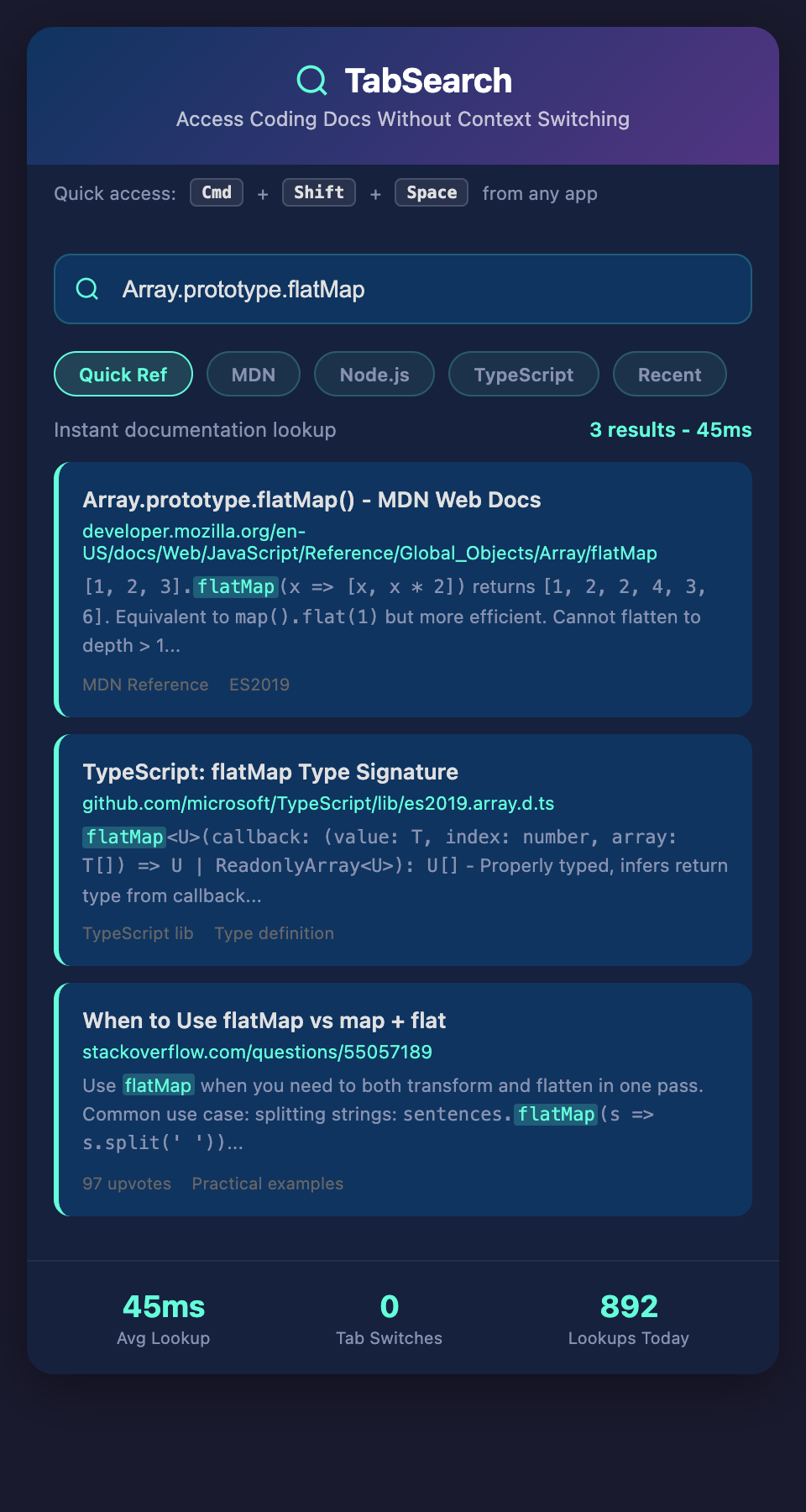
You're coding. You encounter a pattern you're not 100% sure about. You invoke a quick search (maybe keyboard shortcut). Instantly, you see:
-
Relevant documentation snippets
-
Code examples from your research
-
Implementation patterns from your codebase
-
Stack Overflow answers you found helpful
-
Blog posts explaining the concept
All on one screen, context-preserved, searchable. You get your answer in 10 seconds and return to coding. No tab switching. No context loss.
Then you continue. Flow state unbroken.
The Difference Between Reference and Learning
Documentation serves two purposes:
Reference: "How do I use this function?" Answer in 20 seconds. You need this while coding.
Learning: "Why would I use this function? When does it make sense? What are the tradeoffs?" Answer in 5 minutes. You need this when researching.
Current solutions confuse these. When you're coding, you need instant reference. When you're learning, you need comprehensive context.
The ideal system provides:
-
Quick reference while coding (function signatures, basic syntax, common usage)
-
Full context when researching (complete explanation, tradeoffs, alternatives)
Seamless Integration Into Workflow
Imagine this workflow:
You're implementing password validation in a form. You need to check the exact regex for strong passwords. You hit a keyboard shortcut. A quick search pops up in your IDE. You type "password validation regex."
Instantly, you see:
-
The OWASP recommendations for password strength
-
The blog post you read about regex pitfalls
-
The Stack Overflow answer with regex patterns rated by use
-
The implementation you used in a previous project
-
A link to the MDN article about regex
You copy the pattern, close the search (took 30 seconds), and continue coding. No context lost.
Contrast this with the current workflow:
-
Open a new browser tab or switch to an existing one
-
Search "password validation strong regex"
-
Click on a result (MDN, Stack Overflow, blog)
-
Read for 2-3 minutes
-
Find the regex you need
-
Switch back to your IDE
-
Find the line you was working on
-
Paste the regex
-
You've lost 5+ minutes of time and context
For Different Coding Styles
Some developers like to work in a full-screen IDE. They need documentation instantly accessible without switching windows.
Some developers like a split screen. They want documentation visible but searchable to find the right section.
Some developers work with multiple monitors. They want documentation on a second screen, searchable and filterable.
The ideal system would adapt to all these workflows. Quick search for split-screen users. Persistent panel for full-screen users. Keyboard shortcuts for power users.
Documentation Versioning Problem
Here's another problem: documentation changes. The API docs for version 2.0 are different from version 3.0.
When you're working on a legacy project, you need the right version of documentation. Current solutions don't handle this well. You search for documentation and get the latest version, which isn't relevant to your code.
A better solution would:
-
Detect what version of libraries you're using (from package.json)
-
Surface documentation for those versions
-
Suggest upgrades if you're using old versions
-
Let you manually override if needed
Real-Time Code Suggestions
Taking this further: if the system understands your code, it could proactively suggest documentation:
You're using an async function you haven't called in a while. A subtle tooltip suggests the documentation about this specific function.
You're about to implement a feature that matches a pattern you researched months ago. A quick suggestion shows you that research.
You're using a deprecated function. A warning suggests the modern alternative and links to documentation about it.
This is gentle, non-intrusive guidance that keeps you in flow while preventing mistakes.
Testing While Reading Docs
Some problems need to be solved by trying things. The ideal documentation system would let you:
-
Read documentation about a function
-
Instantly run example code from the documentation
-
Modify the example to test variations
-
See results without leaving the documentation view
This is different from a full REPL. It's specifically for testing the code examples from documentation.
Multi-Project Consistency
When you switch projects, documentation should be consistent:
You use async/await in Project A. You use promises in Project B (legacy). When you're working on B, the documentation should emphasize promise-based approaches while noting the modern async/await equivalent. You understand both approaches and why they're different.
This requires documenting not just "here's the current best practice" but "here's how this works across different approaches."
Distraction-Free Focus
The core benefit: you stay in flow state while having instant access to the knowledge you need.
A developer in deep flow is more creative, produces better code, and catches more bugs. The difference between having to break flow to search for documentation (15+ minute context switch) and instantly accessing knowledge (30 seconds) is enormous.
Over a day, that's the difference between 3 hours of productive flow state and 5+ hours.
Building Your Personal Quick Reference
The system you need:
-
Indexes documentation from every source (official docs, blog posts, Stack Overflow, your research)
-
Integrates with your IDE for quick access
-
Understands your code to suggest relevant documentation
-
Provides both quick reference and comprehensive context
-
Handles versioning across different library versions
This becomes an extension of your coding environment—as essential as your IDE itself.
Join the waitlist for frictionless documentation. Keep all your coding documentation instantly searchable and accessible without breaking focus. We're launching an IDE integration that makes documentation retrieval seamless—stay in flow state while having answers at your fingertips.