Indexing Technical Blog Posts While Coding
The Technical Blog Discovery Problem
Technical blogs are where much of the real knowledge lives. Not in official documentation (which is reference material), but in blog posts written by engineers who solved your exact problem. A blog post titled "How We Fixed N+1 Queries in Production" or "Debugging Memory Leaks in Long-Running Node Services" contains hard-won knowledge that official docs don't cover.
But technical blogs are scattered across hundreds of platforms, written by independent engineers, and most are discoverable only through search (if they're discoverable at all). You find a great blog post while researching, read it, learn from it, and then when you face the same problem three months later, you can't remember which blog had that solution.
Even worse: you know a solution exists because you've read it, but you can't remember the source. You spend 30 minutes re-reading posts trying to find the one that had the specific insight you need.
Why Blog Search Fails
Unlike Stack Overflow or official documentation, technical blogs have no central index:
Discoverability: Most blog posts are discovered through search engines, social media shares, or Reddit discussions. There's no authoritative list.
Search engine ranking: A blog post might have the answer to your problem, but Google ranks it lower than an official documentation page or a popular Stack Overflow answer. You have to search specifically for the blog, not the problem.
No meta-structure: Unlike Stack Overflow (tags, votes, accepted answers), blogs are unstructured. A blog post might cover five different problems, and you have no way to index which problems it addresses.
Archived or relocated: A blog post you bookmarked might move domains, go behind a paywall, or disappear entirely. Your reference is broken.
No quality indicators: Unlike Stack Overflow's voting system, blogs have no inherent quality markers. An incorrect but confidently-written post is indistinguishable from a well-researched one.
Temporal relevance: A blog post from 2020 might be completely obsolete by 2024 due to framework updates. There's no automatic way to know if the advice is current.
How Developers Currently Track Technical Blogs
The Reading List
Maintain a list of blogs you trust:
# Trusted Technical Blogs

## Performance & Optimization

- [Dan Abramov's Blog](https://overreacted.io) - React deep dives

- [Julia Evans's Blog](https://jvns.ca) - Systems programming, debugging

- [Molly Rocket](https://www.youtube.com/@MollyRocket) - Performance analysis

## Architecture & Patterns

- [Martin Fowler's Blog](https://martinfowler.com) - Software design patterns

- [High Scalability](http://highscalability.com) - Architecture case studies

## JavaScript/Web

- [Dave Ceddia](https://daveceddia.com) - React tutorials

- [Josh Comeau](https://www.joshwcomeau.com) - CSS and JavaScript

When researching, you browse these blogs directly rather than searching randomly. This is much better than general search.

**Advantage**: You find high-quality content consistently.

**Disadvantage**: You're still browsing, not searching. You can't search across all these blogs simultaneously for specific patterns.

### The Bookmark Folder Structure

Create categories matching your knowledge domains:

Technical Blogs/

  React/

    Performance/

      concurrent-rendering-deep-dive

      reconciliation-algorithm

    Hooks/

      useEffect-complete-guide

      dependency-array-rules

  JavaScript/

    Async/

      promises-explained

      async-await-patterns

  DevOps/

    ...

Over time, this becomes a personal knowledge base. When you need a concept, you check the relevant folder first.

**Advantage**: Well-organized, browseable by category.

**Disadvantage**: Requires consistent bookmarking discipline. A post might fit multiple categories. New knowledge domains require new folder categories.

### The Read-it-Later Service

Services like Pocket or Instapaper let you save articles to read later:

**Advantage**: You separate articles you want to read from general history.

**Disadvantage**: They're rarely searchable at the content level. You can search article titles, not content. If you saved 200 articles and you need one about "connection pooling," you can't search for that term across saved articles.

### The Personal Wiki

Some developers maintain a personal wiki (using Obsidian, Roam Research, or similar) where they synthesize blog posts into their own knowledge base:

```markdown

# Connection Pooling

## What it is

A technique for reusing database connections across multiple requests.

Rather than opening a new connection per request (expensive), maintain

a pool of connections ready to use.

## Key insights

- Reduces connection overhead (sourced: blog post by X)

- Must handle stale connections (sourced: blog post by Y)

- Pool size matters: too small = bottleneck, too large = memory waste

## Common mistakes

- Not configuring connection timeout (from: High Performance DynamoDB post)

- Holding connections longer than needed (from: NodeSQL Best Practices)

This is excellent for synthesizing knowledge.

**Advantage**: Synthesized, your own words, highly searchable.

**Disadvantage**: Requires significant effort to maintain. Many people start personal wikis but don't keep them updated.

## The Blog Post Search Limitations

The fundamental issue is that blog posts are a dispersed medium. They're not on one site, they're not tagged, they're not rated. When you search Google for a blog post about a specific problem, you might find the exact post you read, or you might not. Even if you find it, it's mixed with official docs, Stack Overflow answers, and other results.

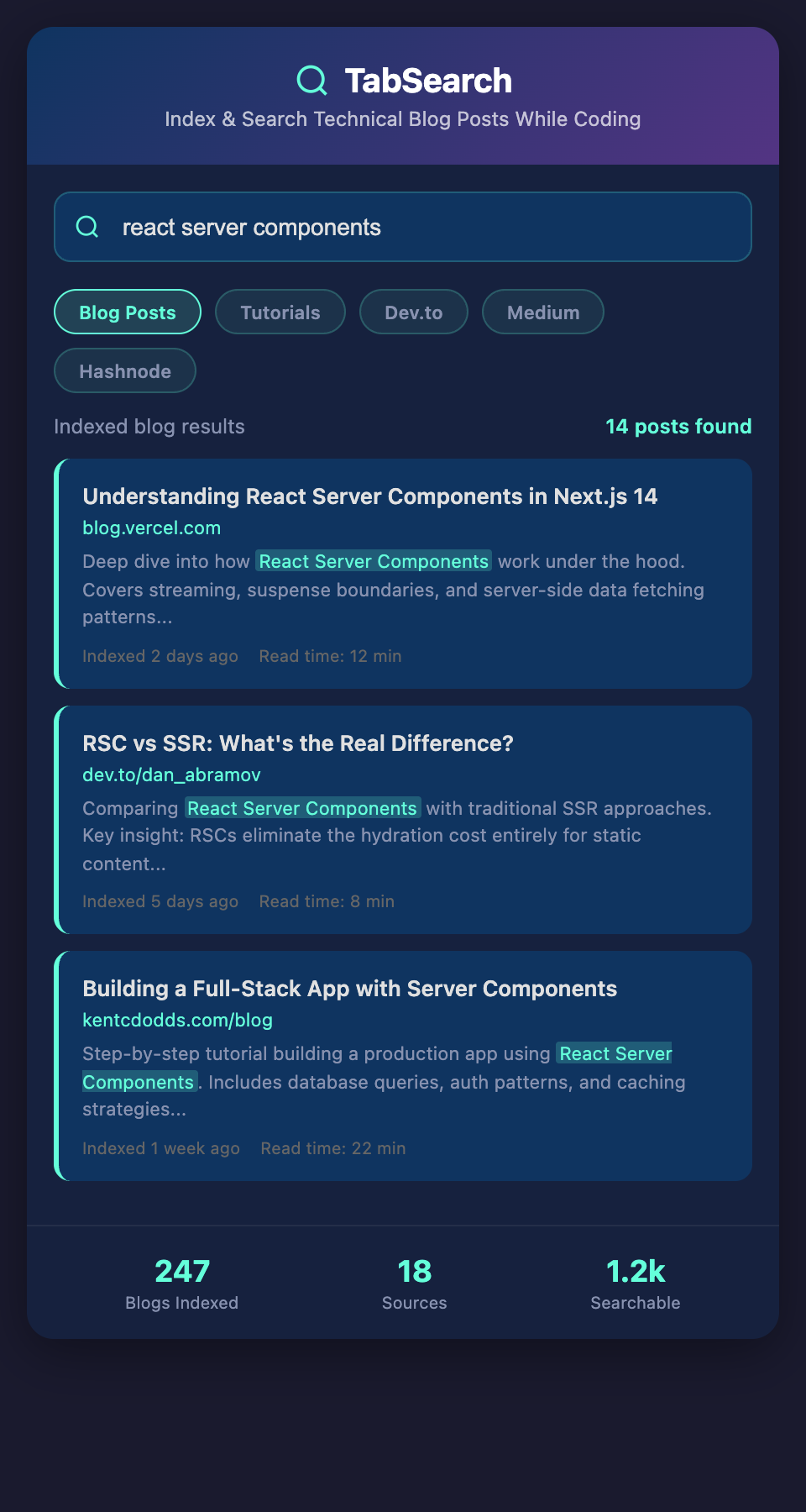
Imagine instead having a searchable index of every technical blog post you've read, with full-text search. You search "connection pooling" and see the three blog posts you've read that discuss it, plus relevant sections within each. You search "memory leaks in Node" and find the specific post with that solution.

## Building a Better Blog Indexing Practice

### The "Blog + Note" Pattern

When you read a valuable technical blog post, immediately create two artifacts:

1. **Bookmark** it in your organized structure

2. **Write one paragraph** summarizing the key insight

```markdown

[Bookmark]: Technical Blogs/JavaScript/EventLoop Deep Dive

[Note]: Event loop processes microtasks before checking macrotasks.

Key insight: Promise.then() is microtask, setTimeout() is macrotask.

This affects order of execution. Example scenario: if Promise resolves

and setTimeout fires simultaneously, Promise.then() runs first.

Source: blog post by Lydia Hallie

The note becomes a searchable artifact. Your bookmark points to the source.

### The "Source Index" Document

Maintain a searchable index of your most important blog posts:

```markdown

# Blog Source Index

## Event Loop Behavior

[Event Loop In-Depth](link) - Lydia Hallie

Key concepts: microtasks, macrotasks, starvation

Relevant to: async/await debugging, performance optimization

## React Reconciliation

[React Fiber Deep Dive](link) - Dan Abramov

Key concepts: work-in-progress tree, lane priority

Relevant to: performance optimization, hooks behavior

## Memory Leaks in Node

[Finding Memory Leaks](link) - clinic.js

Key concepts: heap snapshots, heap allocation, GC pauses

Relevant to: production debugging, performance

When researching a problem, search this index first. It's much smaller than the full internet.

### The "Source Attribution" Pattern

In your code and documentation, include blog sources for non-obvious patterns:

```javascript

// Connection pooling pattern

// Based on: [High Performance DynamoDB blog post by X]

// Key insight: Pool size affects throughput and memory usage

// See: https://example.com/connection-pooling

const pool = new Pool({

  max: cpuCount * 2, // Recommended multiplier from blog

  idleTimeoutMillis: 30000,

});

This creates a codebase-wide reference to the blogs that informed your decisions.

## Solving Blog Post Search

What would truly solve this is automatic indexing of technical blogs you visit. As you read blog posts during research, they're indexed in the background. Later, you can search across your entire reading history for specific concepts.

Combined with tagging ("this blog post is about performance") and source attribution, you'd build a personal knowledge base automatically, without manual effort.

## Starting Your Blog Indexing Practice

1. **Identify 5-10 trusted technical blogs** in your domain

2. **Create a bookmark folder structure** for these blogs

3. **When you read a valuable post, write one-paragraph summary**

4. **Maintain a searchable blog source index**

5. **Attribute code patterns** to their source blogs

This transforms blog reading from passive consumption to active knowledge building. You'll reference fewer blog posts repeatedly because you can find them instantly.

**Ready to make your technical reading searchable?** Join developers building searchable knowledge bases from the blogs they read. Add your email to our waitlist for early access to automatic blog indexing.