Organizing Third Party Library Reference Materials
The Dependency Documentation Explosion
A modern web application depends on dozens of third-party libraries. A single React project might depend on:
-
Build/Runtime: React, ReactDOM, React Router, Next.js
-
State Management: Redux, Zustand, or Recoil
-
UI Libraries: Material-UI, Chakra UI, or Ant Design
-
Forms: React Hook Form or Formik
-
HTTP: Axios or Fetch
-
Animations: Framer Motion
-
Testing: Jest, React Testing Library, Playwright
-
Linting: ESLint, Prettier
-
Bundling: Webpack, Vite, Esbuild
Each library has its own documentation, examples, API references, and migration guides. Some have excellent documentation (React, Next.js). Some are minimally documented (small utility libraries). Some documentation is scattered across GitHub wikis, blog posts, and Stack Overflow.
When you're building a feature, you might need to reference 5-10 different library documentations simultaneously. Your browser becomes a library documentation hub.
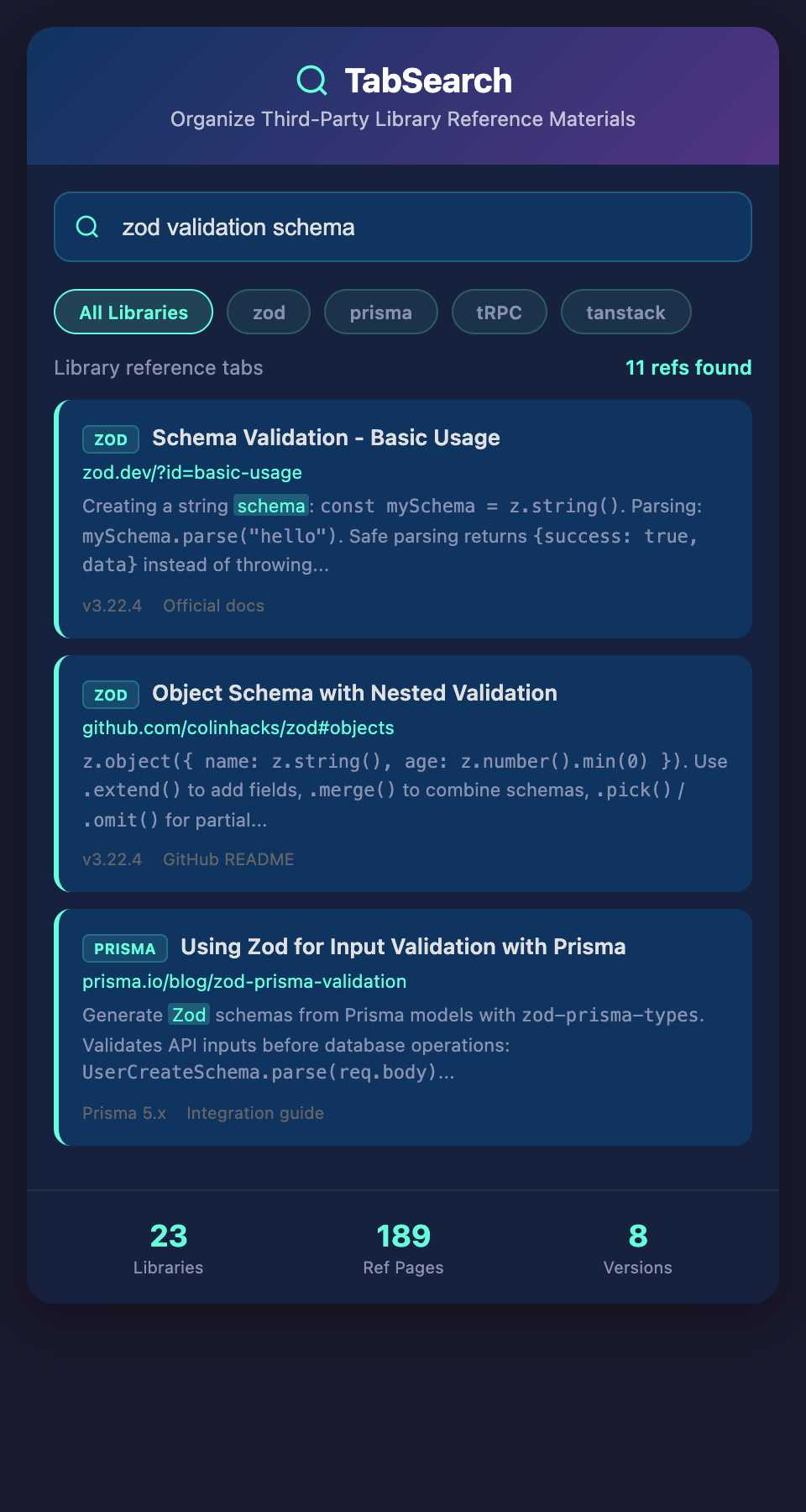
The Dependency Reference Problem
Unlike language documentation (Python docs, JavaScript specs), which are monolithic and well-organized, library documentation is fragmented:
Different structures: React docs are structured one way, Redux docs another way, Chakra UI another way. You can't use the same navigation pattern for all libraries.
Varying quality: Some libraries have comprehensive docs and tutorials. Others have minimal API docs. Some have no examples.
Scattered locations: Official documentation, GitHub wikis, Medium posts, YouTube videos, and Stack Overflow answers all contain information about the same library.
Version fragmentation: A library might have documentation for versions 2, 3, and 4. Your code depends on version 3. You need version 3 docs, but documentation might default to the latest version.
Update frequency: A library's docs might be updated monthly, quarterly, or not at all. You don't know if what you're reading is current for your version.
Why Library Documentation Searching Fails
When you need to understand a specific library:
Unclear search scope: You're searching "React hook" but you get results for React class components, hooks examples, and Hook implementations across 100 different sites.
Version ambiguity: Search results don't clearly indicate which version of the library they apply to.
Documentation site ranking: The library's official documentation might rank lower than a tutorial site or blog post about the same topic.
Inside vs. outside knowledge: Some crucial information is in the library's documentation; some is in the community ecosystem (Medium posts, courses). You don't know where to search first.
Organizing Multiple Library References
The Library Documentation Bookmark Folder
Create a structured bookmark folder for each primary dependency:
Dependencies/
React/
Official Docs

Hooks API

Performance Tips
React Router/
Official Docs

Route Configuration

Data Loading Patterns
Redux/
Official Docs

Action Creators

Middleware Patterns
TypeScript/
Official Handbook

Utility Types

Troubleshooting
When you need to reference a library, you navigate to its folder instead of searching.
Advantage: Familiar navigation, organized by logical groups.
Disadvantage: Requires organization discipline. A feature might need documentation from five libraries, and you need to navigate each folder separately. New libraries require new bookmark structure.
The Version-Aware Reference
For critical libraries with multiple versions, maintain version-specific bookmarks:
React/
v18/
Official Docs

Hooks Reference

Concurrent Features
v17/
Official Docs (Archive)

Hooks Reference

Breaking Changes from v16
When you open the v18 folder, you're explicitly in the React 18 context.
Advantage: Prevents confusion about which version you're reading.
Disadvantage: Adds complexity. Most developers don't maintain multiple version bookmarks.
The Dependency Cheat Sheet
Create a markdown file with all your key dependencies and reference links:
# Project Dependencies Reference

## Core Framework

- **React 18** - Component library

  - Docs: https://react.dev

  - Hooks: https://react.dev/reference/react

  - Breaking changes from v17: [Migration Guide](link)

- **Next.js 13** - React Framework

  - Docs: https://nextjs.org/docs

  - App Router: https://nextjs.org/docs/app

  - Data fetching: https://nextjs.org/docs/app/building-your-application/data-fetching

- **TypeScript 5.0** - Type Safety

  - Handbook: https://www.typescriptlang.org/docs/handbook

  - Common mistakes: [TypeScript Deep Dive](link)

## State Management

- **Redux Toolkit** - State Management

  - Docs: https://redux-toolkit.js.org

  - Creating slices: https://redux-toolkit.js.org/api/createSlice

  - Selectors: https://redux-toolkit.js.org/api/createEntityAdapter

## Testing

- **Vitest** - Unit Testing

  - Docs: https://vitest.dev

  - API: https://vitest.dev/api

  - React testing: https://github.com/testing-library/react

## Quick Reference Links

- MDN Web Docs: https://developer.mozilla.org

- Can I Use: https://caniuse.com

- Bundle Phobia (package sizes): https://bundlephobia.com

This becomes your starting point for any library question. It's searchable (Ctrl+F) and organized by category.

**Advantage**: Single, centralized reference. Includes links to the most-used sections.

**Disadvantage**: Requires initial setup. Manual updates when dependencies change.

### The "Open Tabs Per Active Feature" Pattern

When implementing a feature, keep tabs open for the specific library sections you're actively using:

Implementing a form? Open these tabs:

- `[React Hook Form] Installation & Basic Setup`

- `[React Hook Form] useForm Hook`

- `[React Hook Form] Error Handling`

- `[TypeScript] Form Type Definitions`

This creates a focused tab set for the feature. When the feature is done, you can close these tabs.

**Advantage**: Minimal tab clutter. Focused research area.

**Disadvantage**: Requires discipline to maintain. Easy to accumulate tabs that should have been closed.

## The Dependency Context Problem

The core challenge is that libraries don't exist in isolation—they interact with each other. You're using React with Next.js with TypeScript with Redux. A question about "how to type Redux actions in TypeScript with React" requires knowledge of three libraries simultaneously.

When you search for this, you might find:

- A React example (might not use Redux)

- A Redux example (might not use TypeScript)

- A TypeScript example (might not use Redux)

- An example using all three (hard to find)

You have to synthesize information from multiple library documentations to solve the problem.

## Building a Comprehensive Library Reference System

### The Library Quick Start Document

For each major library, create a "quick start" that captures the most important concepts:

```markdown

# React Hook Form Quick Start

## Installation

```bash

npm install react-hook-form

## Basic Form

```javascript

import { useForm } from "react-hook-form";

export function MyForm() {

  const { register, handleSubmit, formState: { errors } } = useForm();


  return (

    <form onSubmit={handleSubmit(onSubmit)}>

      <input {...register("name", { required: true })} />

      {errors.name && <span>Required</span>}

    </form>

  );

}

## Key Concepts

- `register`: Connect input to form state

- `handleSubmit`: Handle form submission

- `formState`: Access validation errors

- `watch`: Subscribe to input changes

- `setError`: Manually set errors

## Common Patterns

- Type-safe forms: Use TypeScript generics with useForm<FormType>()

- Custom validation: Use validate property in register options

- Cross-field validation: Use watch to check dependencies

## Gotchas

- Don't use `ref` on registered inputs (register creates the ref)

- Dependencies in validation need explicit dependency tracking

- useForm state doesn't update during submission by default

This quick start lives in your project's documentation folder. When you need React Hook Form, you reference this before opening the official docs.

### The Cross-Library Integration Document

For libraries that work together, document the integration:

```markdown

# Redux + React Integration

## Setup Pattern

```javascript

// store.ts

import { configureStore } from '@reduxjs/toolkit';

import { TypedUseSelectorHook, useDispatch, useSelector } from 'react-redux';

export const store = configureStore({

  reducer: { ... },

});

type RootState = ReturnType<typeof store.getState>;

type AppDispatch = typeof store.dispatch;

export const useAppDispatch = () => useDispatch<AppDispatch>();

export const useAppSelector: TypedUseSelectorHook<RootState> = useSelector;

## Usage in Components

```javascript

export function MyComponent() {

  const dispatch = useAppDispatch();

  const count = useAppSelector(state => state.counter.value);


  return <button onClick={() => dispatch(incrementCount())}>

    Count: {count}

  </button>;

}

## Common Patterns

- Selector memoization: Use createSelector from Redux Toolkit

- Normalized state: Use createEntityAdapter for collections

- Async operations: Use createAsyncThunk

When implementing a feature that uses both libraries, you have documented integration examples.

## Optimizing Library Reference Access

1. **Create a bookmarked folder structure** for each major library

2. **Maintain a dependency cheat sheet** with all key links

3. **Write quick-start guides** for libraries you use frequently

4. **Document cross-library integration patterns** you use repeatedly

5. **Keep focused tabs open** only for the feature you're actively building

The goal is moving from "I need to search for library documentation" to "I have organized references I can access immediately."

## The Automatic Library Indexing Solution

What would truly solve library documentation fragmentation is unified search across all your project's dependencies. Search "form validation," and see relevant sections from React Hook Form, TypeScript validation types, and your project's validation patterns. The system understands which libraries your project depends on and searches only relevant documentation.

This would make working with multiple dependencies dramatically faster, as you'd have one search interface instead of navigating each library separately.

## Starting Your Library Reference System

1. Create a `dependencies.md` file with all your project's key libraries and links

2. For your three most-used libraries, write quick-start guides

3. Organize bookmarks by library, not broad categories

4. Document integration patterns between libraries you use together

5. Refer to your documentation before searching the web

Over time, your reference system becomes a project asset. New developers can learn which libraries you're using and how from a single organized document.

**Ready to stop hunting library documentation across 10 browser tabs?** Join developers building organized library reference systems. Add your email to our waitlist for early access to unified library documentation search.