Reduce Time Searching for API Documentation Dramatically
The API Documentation Problem
You're building an integration with an external service. The documentation is spread across:
-
REST API reference: 200+ endpoints organized in categories
-
Authentication guide: 5 different authentication methods
-
Error codes reference: 80+ error codes with explanations
-
Example code repository: Examples in 6 different languages
-
Blog tutorials: 12 tutorials for different use cases
-
SDK documentation: Different docs for each SDK
-
Changelog: Tracking what changed in each version
-
Community forums: Discussions of implementation approaches
You need to:
-
Find the specific endpoint for your use case
-
Understand the request/response format
-
Handle error cases
-
See working examples
-
Check if the version you're using has what you need
Hunting through this fragmented documentation takes hours, even for straightforward integrations.
Why API Documentation Search Is Broken
API Docs Are Hard to Search
Official API documentation often:
-
Has inconsistent internal search
-
Requires remembering exact endpoint names
-
Spreads related information across multiple pages
-
Doesn't help with "I need to do X, what endpoint?"
-
Has poor code example search
If you remember the endpoint name, you can find it. But "I need to create a resource and get back the ID" requires understanding the conceptual structure, not just searching keywords.
Multiple Format Problem
API documentation comes in different formats:
-
OpenAPI/Swagger specs (structured, hard to read)
-
HTML documentation (readable, hard to search)
-
Markdown guides (scattered across GitHub)
-
Code examples (language-specific)
-
Tutorial posts (conceptual explanations)
The same information exists in 5 different places, in 5 different formats, all saying slightly different things.
Version Confusion
Integrating with an external API means:
-
"Is this feature available in my version?"
-
"What changed between version 2.1 and 2.2?"
-
"Which authentication method should I use?"
-
"Did this endpoint signature change?"
You might be looking at documentation for a version different from what you're using.
Search Engine Problems
Searching Google for API documentation:
-
Returns generic tutorials before specific reference docs
-
Mixes documentation from different versions
-
Includes outdated Stack Overflow answers
-
Requires many searches to cover all angles
"Stripe API create charge endpoint" returns tutorials before the actual reference documentation. You end up clicking through 5 results to find the exact thing you need.
What Effective API Documentation Search Needs
1. Unified Search Across All Documentation
One search query that covers:
-
Official API reference
-
Authentication guides
-
Code examples
-
Tutorial posts
-
Error code explanations
-
Related concepts
Instead of:
-
Search official docs for the endpoint
-
Search separately for authentication
-
Search separately for examples
-
Search separately for error handling
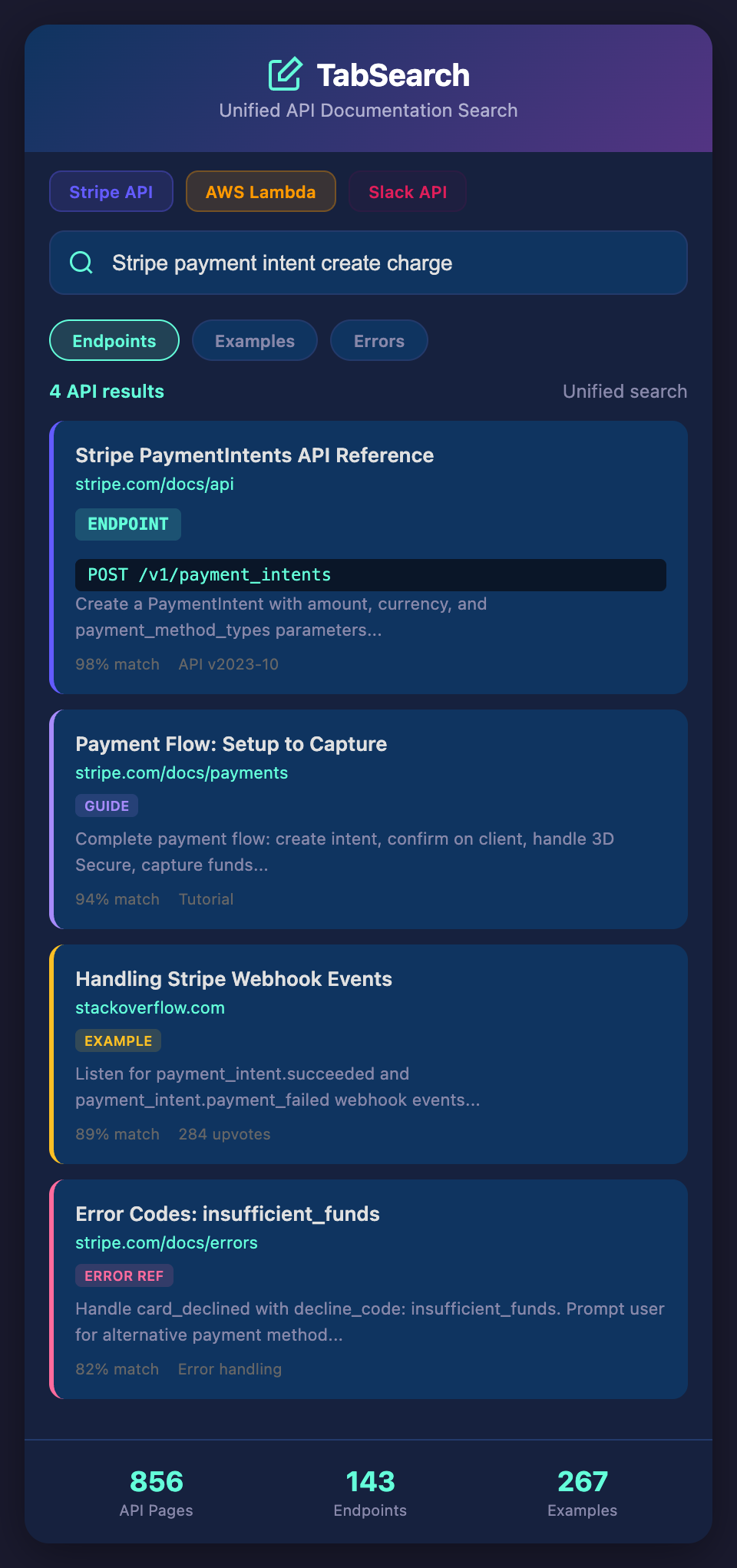
You do one search: "create payment with Stripe" and get everything.
2. Semantic Understanding of APIs
The search system should understand:
-
Request/response structures: Recognize fields, data types, requirements
-
Endpoint relationships: Know which endpoints are related
-
Common workflows: Understand typical patterns (auth → create → list → update → delete)
-
Error scenarios: Know which errors apply to which endpoints
-
SDK methods: Understand how endpoints map to SDK calls
This semantic understanding makes search results more relevant.
3. Smart Example Finding
When you search for something, you want working code examples:
-
Example in your language
-
Example showing your specific use case
-
Complete, runnable examples (not snippets)
-
Examples that work with your API version
Smart search finds these automatically.
4. Version Management
The system should:
-
Know which version of the API you're using
-
Surface documentation for that version
-
Flag breaking changes
-
Show what changed between versions
No more confusion about whether a feature exists in your version.
5. Concept-Based Navigation
Beyond search, you should navigate APIs conceptually:
-
"Authentication methods" → shows all authentication approaches
-
"Pagination" → shows how all endpoints handle pagination
-
"Error handling" → shows common error patterns
-
"Rate limiting" → shows rate limit strategies
This conceptual navigation helps you understand the API deeply, not just find endpoints.
6. Integration Context
The system should preserve:
-
Why you integrated with this API
-
How it fits in your architecture
-
Parameters specific to your account/setup
-
Common mistakes you've made or seen
This context helps you work more effectively with the API.
Real API Integration Scenarios
Scenario 1: Stripe Payment Integration
You're building payment processing. You need to:
-
Authenticate (API key or OAuth?)
-
Create a payment intent
-
Handle different payment methods
-
Manage webhooks for payment confirmation
-
Handle error cases (insufficient funds, card declined, etc.)
-
Test in sandbox environment
Old way: Search Stripe docs for "payment", get the overview. Search for "payment intent". Find the endpoint. Search for "webhook". Find webhook setup. Search for "error handling". Find error codes. 5+ searches, scattered across 5+ pages.
With unified API search: Search "Stripe payment processing workflow". Get back all documentation, code examples, error handling, webhook setup—everything needed.
Scenario 2: AWS Lambda Integration
You're building a serverless application. You need to understand:
-
Lambda function structure
-
Event sources and how they trigger functions
-
IAM permissions required
-
Environment variables and configuration
-
Logging and debugging
-
Deployment and versioning
-
Error handling and retries
-
Cost optimization
Old way: Bounce between AWS Lambda documentation, IAM documentation, CloudWatch logging documentation, SDK documentation. 20+ pages, fragmented.
With unified search: Search "AWS Lambda function integration complete example" or "Lambda environment setup and debugging" and get everything in context.
Scenario 3: Learning a New SDK
You're integrating Slack API into your application. Documentation includes:
-
REST API reference (100+ endpoints)
-
Socket Mode API (for real-time events)
-
Slash commands setup
-
Event subscriptions
-
OAuth for workspace installation
-
Rate limiting
-
Error codes
Old way: Start with tutorial, hit issues, search for specific endpoint, find error, search for error handling. Scattered learning process.
With unified search: Search "Slack bot implementation with authentication" and get all necessary pieces. Or search the specific thing you're stuck on and find it instantly.
Building Effective API Documentation Search
Key Components
Automatic indexing: Capture all API documentation you reference.
Full-text search: Find content by meaning, not just keywords.
Semantic understanding: The system understands API concepts and structures.
Example extraction: Identify and separately index code examples.
Version tracking: Know which versions you're working with.
Integration context: Preserve your specific integration details.
Privacy: Your API documentation research stays private.
The Time Saved
If you're currently spending:
-
2 hours per week searching API documentation
-
30+ minutes per new API integration
-
Extra debugging time due to missing configuration knowledge
Switching to unified API documentation search could save:
-
8 hours per month in documentation search time
-
30% reduction in integration time
-
Fewer bugs and faster debugging
Over a year, that's 96+ hours of reclaimed development time.
Stop Wasting Time on API Documentation
The knowledge you need is scattered across multiple sources. The solution isn't better organization—it's better search.
Ready to find any API detail instantly? Join developers building unified API documentation search systems. Join our waitlist for early access to intelligent API documentation indexing and semantic search.