Retrieving Previously Found Documentation Snippets
The Forgotten Snippet Problem
You know you've seen exactly what you need. It's a specific code example, a particular configuration pattern, or a crucial parameter definition. You read it recently—maybe last week, maybe last month. You remember it was useful and vaguely remember where you saw it. Was it in the React docs or a blog post? Was it in the API documentation or a forum post?
Now you're staring at a blank screen trying to implement the same pattern, and you can't quite remember the details. Do you need a useCallback wrapper? Does it require a dependency array? What were the edge cases? You vaguely remember being relieved that the example covered error handling, but you can't recall what the error handling looked like.
You could spend 20 minutes searching for the snippet, or you could spend 5 minutes coding it from memory (risking bugs). Either way, you're wasting time on something you've already learned.
The Documentation Consumption Problem
Developers consume documentation constantly:
-
Reading API references (finding parameters, return types)
-
Studying code examples (learning patterns)
-
Reviewing configuration guides (setting up services)
-
Exploring best practices (understanding approaches)
-
Debugging via error messages (understanding what went wrong)
But this consumption is passive. You're reading, learning, understanding. You're not thinking "I should save this for later." You're focused on understanding the current concept or problem.
Later, when you need the knowledge, you can't retrieve it. Your brain remembers the concept but not the details. Your tools have no record of what you've read.
Why Documentation Searching Fails
When you try to find a documentation snippet you've seen before:
Fragmented sources: The documentation is on different sites. Was it in the official docs or a blog post or a Stack Overflow answer?
Imperfect memory of keywords: You remember the concept but not the exact terminology. The documentation might use "lazy loading" while you think "deferred loading." You search for the wrong term and don't find it.
Results are page-level: Search finds pages that mention your term, not specific snippets within pages. The exact code example might be on page 5 of documentation results.
Recency bias: Search results are typically ranked by popularity or recency, not by whether you've actually read that page.
No context preservation: You remember needing the snippet in a specific context (React + TypeScript + error handling) but search engines don't know your context.
Workarounds Developers Use
The Comments-Based Annotation
Some developers add comments to their code with full documentation snippets:
// Authentication middleware (from: NextAuth.js docs)

// Usage: Protects routes that require authentication

// Returns: 401 if no valid session

// Configure: NextAuth.js config file with providers

// Reference: https://next-auth.js.org/getting-started/example

export const middleware = (req) => {

  const token = getToken({ req, secret: process.env.NEXTAUTH_SECRET });

  if (!token && isProtectedPath(req)) {

    return NextResponse.redirect('/login');

  }

};

**Advantage**: The snippet is in your codebase, searchable.

**Disadvantage**: Adds code clutter. Requires discipline to maintain. Only captures snippets you've used, not all snippets you've read.

### The Inline Documentation Pattern

Developers write documentation inline with their code:

```python

def exponential_backoff(attempt, base_delay=1, max_delay=60):

    """

    Exponential backoff for retries.


    Based on AWS documentation:

    https://docs.aws.amazon.com/general/latest/gr/error-retry-logic.html


    Key points:

    - Delay = base * (2 ^ attempt)

    - Add randomization to prevent thundering herd

    - Cap maximum delay (prevents excessive waits)


    Example usage:

        for attempt in range(5):

            try:

                result = call_api()

                return result

            except Exception:

                delay = exponential_backoff(attempt)

                time.sleep(delay)

    """

    delay = base_delay * (2 ** attempt)

    delay = min(delay, max_delay)

    # Add jitter: randomize between 0 and calculated delay

    return random.uniform(0, delay)

**Advantage**: Documentation is with the code that uses it. Developers can see the pattern context.

**Disadvantage**: Only works for patterns you've implemented. Doesn't help you find documentation you've read but haven't used yet.

### The Snippet Collection

Some developers maintain a snippets file using their editor (VS Code snippets, TextMate bundles, etc.):

asyncRetry

  →

  async function retry(fn, maxAttempts = 3, delay = 1000) {

    for (let i = 0; i < maxAttempts; i++) {

      try {

        return await fn();

      } catch (error) {

        if (i === maxAttempts - 1) throw error;

        await new Promise(r => setTimeout(r, delay * (2 ** i)));

      }

    }

  }

When you need the pattern, you type the trigger word and the snippet expands.

**Advantage**: Fast to access. Embedded in your editor workflow.

**Disadvantage**: Only works for patterns you've already added to snippets. Maintaining snippets files requires discipline. Not searchable by content, only by trigger names.

### The Snippet Browser Service

Services like Gist, Carbon, or Pastebin let you save and browse code snippets:

**Advantage**: Centralized, shareable, persistent.

**Disadvantage**: Another place to maintain. Requires searching a different interface during development (context switching). Most developers don't maintain these consistently.

## The Core Limitation: Passive to Active Translation

The fundamental problem is translating from passive reading (discovering snippets) to active retrieval (needing snippets). Your brain remembers that you've read something useful, but can't pinpoint it. Your tools have no connection between "I read this documentation" and "I need this documentation now."

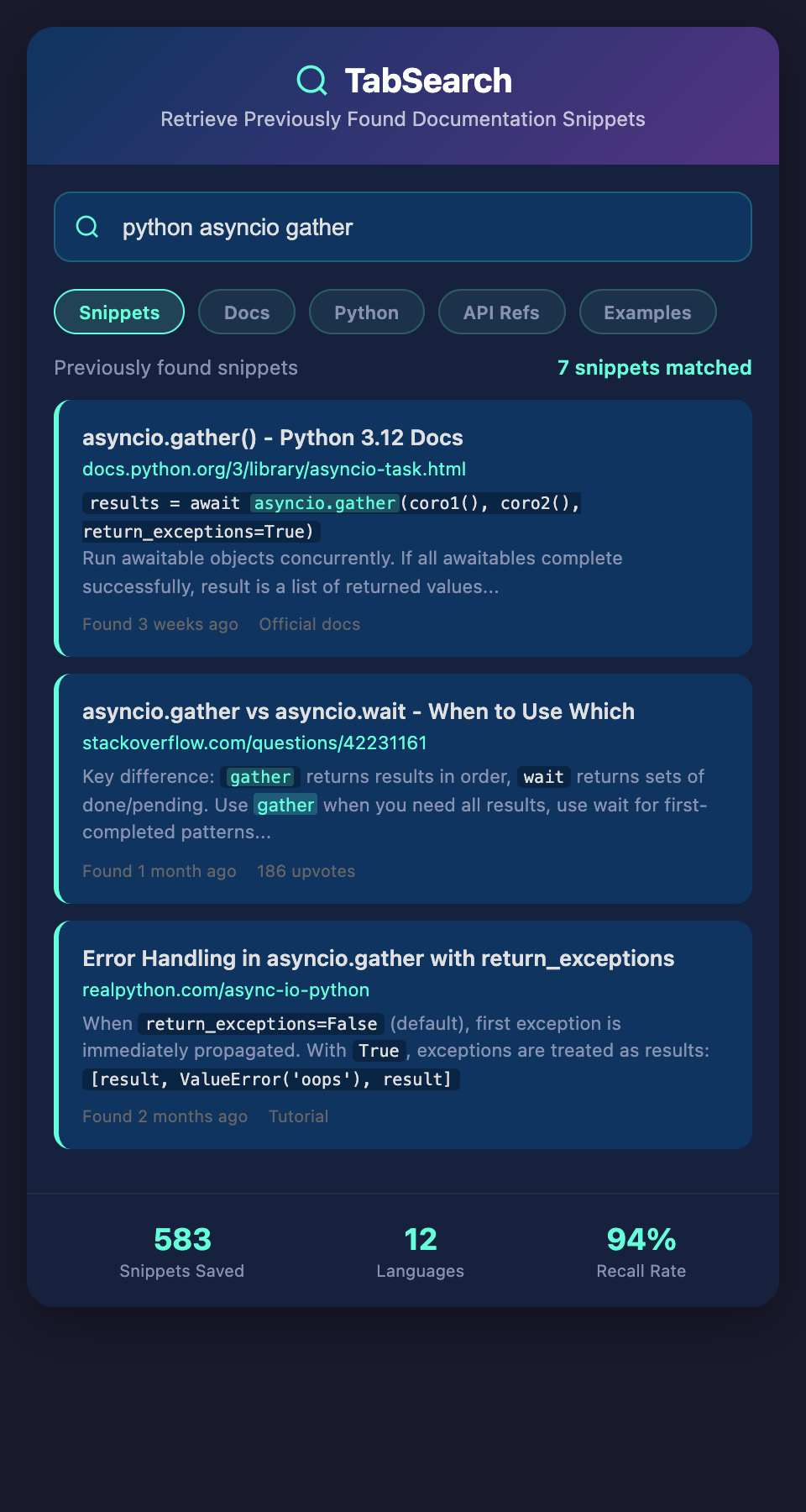
Imagine if documentation snippets were automatically saved as you read. You read the exponential backoff example in AWS docs. The system captures it, tags it ("retry," "exponential backoff," "AWS"), and makes it searchable. Later, when you need exponential backoff, you search and find not just the AWS documentation page, but the specific example you read, highlighted in context.

## Building a Personal Documentation Snippet Repository

### The Markdown Snippet File

Create a `snippets.md` file in your projects directory:

```markdown

# Code Snippets & Documentation

## JavaScript/React

### Exponential Backoff Retry

```javascript

async function retry(fn, maxAttempts = 3) {

  for (let i = 0; i < maxAttempts; i++) {

    try {

      return await fn();

    } catch (error) {

      if (i === maxAttempts - 1) throw error;

      const delay = 1000 * Math.pow(2, i);

      await new Promise(r => setTimeout(r, delay));

    }

  }

}

**Source:** AWS Docs - Error Handling Patterns

**Context:** Use for API calls that might fail transiently

**Key Insight:** Exponential backoff prevents hammering failing service

### useCallback Pattern

```javascript

const memoizedCallback = useCallback(

  () => doSomething(a, b),

  [a, b]

);

**Source:** React Docs - useCallback

**Context:** Prevent unnecessary re-renders of components receiving callback as prop

**Common Mistake:** Forgetting to include dependencies

## Python

### Context Managers

```python

class DatabaseConnection:

  def __enter__(self):

    # Setup

    return self

  def __exit__(self, exc_type, exc_val, exc_tb):

    # Cleanup

    pass

# Usage

with DatabaseConnection() as db:

  # Use db

**Source:** Python Docs - Context Managers

Make this file searchable (Ctrl+F works, but you can also commit to Git and GitHub-search).

### The Source Attribution Pattern

Every snippet includes source, context, and key insights:

**Source**: Where you found it (URL or reference)

**Context**: When to use this pattern

**Key Insight**: The important detail you might forget

This metadata makes snippets useful beyond just copy-paste. It's a mini-documentation of your own understanding.

### The Searchable Documentation Index

Create an index of documentation you reference frequently:

```markdown

# Documentation Index

## React

- Hooks: https://react.dev/reference/react

- useState: https://react.dev/reference/react/useState

- useCallback: https://react.dev/reference/react/useCallback

- Performance: https://react.dev/reference/react/useMemo

## JavaScript

- Promises: https://developer.mozilla.org/en-US/docs/Web/JavaScript/Reference/Global_Objects/Promise

- async/await: https://developer.mozilla.org/en-US/docs/Learn/JavaScript/Asynchronous/Promises

## APIs

- Stripe: https://stripe.com/docs/api

- Stripe Webhooks: https://stripe.com/docs/webhooks

This index is searchable (Ctrl+F) and lets you quickly find official documentation you've already researched.

## Creating Your Snippet Retrieval System

1. **Create a `snippets.md` file** in your project or personal docs

2. **Add three fields to each snippet**: code, source, context, key insight

3. **Maintain a documentation index** of frequently-referenced sites

4. **When searching for a pattern**, check your snippets first before searching the web

5. **Make your snippets file searchable** (commit to GitHub, use a text editor with search)

Start small. Don't try to capture every snippet. Add snippets as you use them, not as you read them. This ensures you only save snippets that actually matter for your work.

## The Automatic Snippet Capture Future

In the future, tools will capture snippets automatically as you read documentation. When you highlight code in a blog post or documentation, the system might ask "Save this snippet?" One click and it's added to your searchable repository.

For now, the manual discipline of maintaining a snippets file is worth the effort. The time saved hunting for snippets you've already learned pays for the time invested in maintaining them.

**Ready to find documentation snippets instantly instead of re-researching?** Join developers building searchable documentation repositories. Add your email to our waitlist for early access to automatic snippet capture and retrieval.