Building a Searchable Code Snippet Library From Browser Research
The Scattered Snippet Problem
Every developer has code snippets scattered everywhere: comments in old projects, Gists they created years ago, code blocks they copied into notes, email threads where someone shared an implementation, and most importantly, code examples on pages they researched.
You found a great implementation of debouncing in JavaScript three months ago. You bookmarked the page (or didn't). Now you're on a new project and you need debouncing again. Do you remember where you found it? Which blog had the best implementation? Was there a performance consideration you learned about?
You end up copy-pasting from Stack Overflow again or pulling from an npm package when you could have used the implementation you already vetted and understood.
This happens across your entire codebase. You've collected solutions to:
-
Authentication flows
-
Error handling patterns
-
API request utilities
-
State management examples
-
Form validation
-
Async patterns
-
Caching strategies
-
Testing setups
But they're all inaccessible. Scattered across closed browser tabs, forgotten Gists, old project comments, and email chains.
Why Code Snippet Managers Miss the Mark
Developers have tried solutions:
Manual note-taking tools (OneNote, Notion, Obsidian) require you to actively copy code, write descriptions, and organize them. Most developers start with good intentions and quickly stop because it's work.
Snippet managers (Snippy, Lexi, SnippetLab) sit idle because they require conscious action. You have to remember to open them, search them, and use them. It's not part of your workflow.
GitHub Gists become graveyards. You create them, forget about them, and later create new Gists for similar problems because you don't remember what you already saved.
Comments in code get lost as projects accumulate hundreds of files and years of history.
The core problem: snippet management requires active effort. The solutions that work are passive. They capture snippets without you doing anything special.
From Pages to Patterns
When you research code, you're not just finding snippets. You're learning patterns. The blog post explaining debouncing includes:
-
The basic implementation
-
Why you need it
-
Common pitfalls to avoid
-
Performance considerations
-
Testing approaches
-
Framework-specific variations
If you save just the snippet without this context, you lose 80% of the learning. A searchable code library should capture the full context: the snippet, the explanation, the use cases, and the variations.
Practical Workflow Example
Scenario: You're building a feature that requires rate-limited API calls.
Without a snippet library: You search "rate limit javascript api calls." You find several implementations. You evaluate them, pick one, and implement it. You've done this before, probably multiple times, but each time is a fresh search.
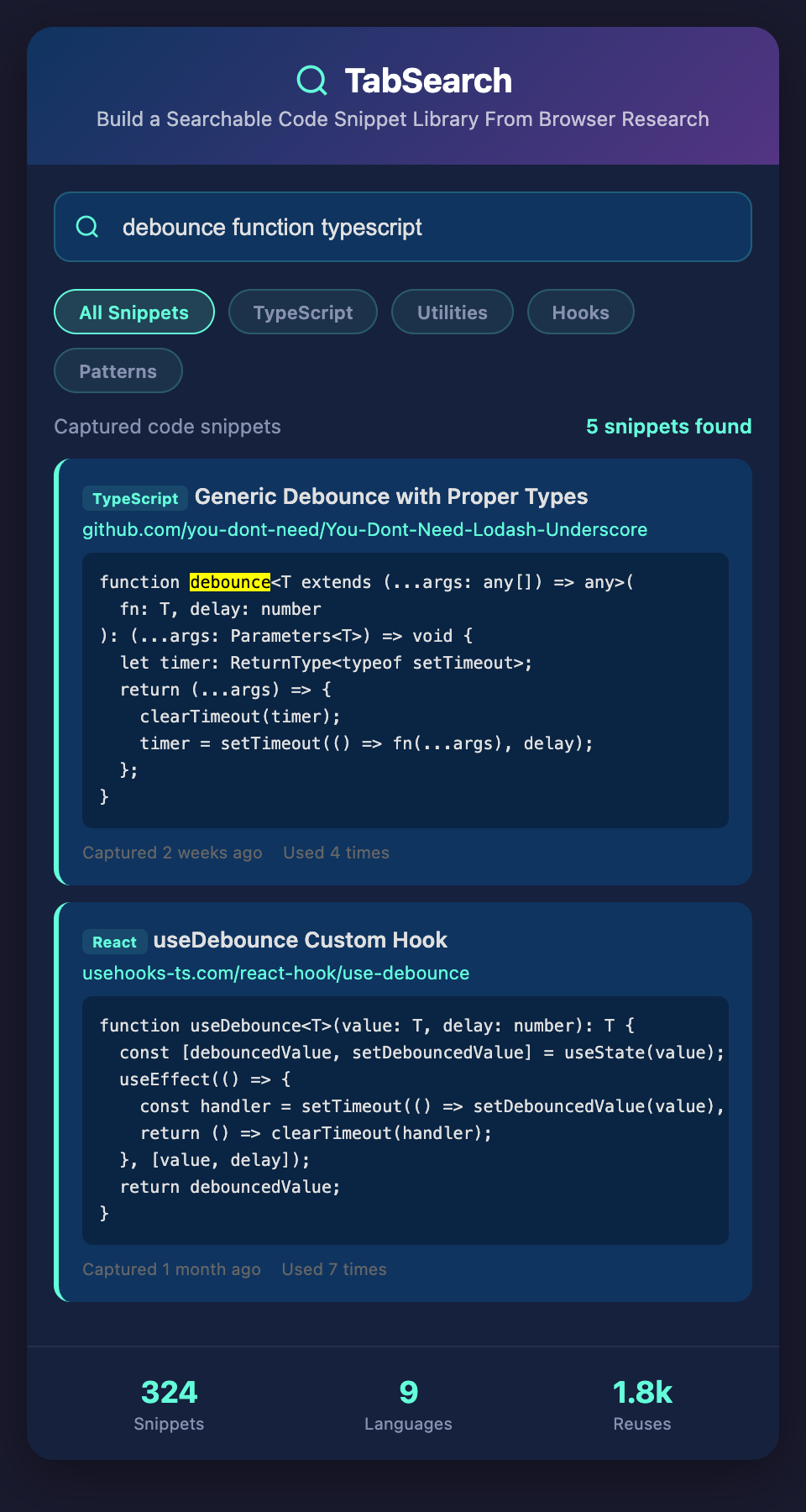
With a searchable code library: You search your library for "rate limit." Immediately, you see three different implementations you've researched:
-
A simple counter-based approach (good for basic cases)
-
A token-bucket algorithm (better for bursty traffic)
-
A sliding-window rate limiter (most accurate)
You see the blog post context where you learned about tradeoffs. You see the implementation you used in Project A and how it performed. You pick the one that best fits your current constraints. You also see a test file you wrote for rate limiting, so you reuse your test strategy.
The entire task takes 5 minutes instead of 30. Plus, your implementation is more consistent with your previous solutions.
Building Your Personal Reference Library
The ideal system would:
Passively capture code blocks from every page you visit. When you research a topic, the code examples are automatically saved.
Preserve full context. Each code snippet includes the surrounding explanation, the problem it solves, and the trade-offs mentioned.
Index across frameworks and languages. Search for "debounce" and see implementations in JavaScript, TypeScript, React, and Vue. See which languages you use most and get the most relevant suggestions.
Track usage history. See which code patterns you've already used in your projects, so you don't implement the same thing twice differently.
Enable team sharing. Your team can access your vetted code library. When a junior developer needs a rate limiter, they see the exact implementations your senior developers trust.
The Compound Benefit
After six months of development, you have 100+ code snippets indexed. After a year, 300+. Each recurring task becomes faster because you're not implementing from scratch—you're adapting something you've already solved, tested, and understood.
Consider these categories:
-
Authentication (5-10 patterns)
-
API communication (10-15 patterns)
-
Error handling (5-8 patterns)
-
Form handling (8-12 patterns)
-
State management (5-10 patterns)
-
Testing utilities (10-15 patterns)
-
Data transformation (15-20 patterns)
That's potentially 60-100+ reusable patterns in the first year. Instead of searching for each one, you're building on something you've already vetted.
From Reference to Reuse
The difference between a code snippet manager and a proper library is reusability. A snippet manager is just storage. A library is a tool that helps you apply patterns consistently across projects.
When you encounter a problem you've solved before, the system should suggest relevant code you've already created. When you implement something new, you should be able to instantly find and adapt something similar instead of building from scratch.
Join the waitlist to build your code library. Stop searching for implementations you've already solved. We're launching a system that captures every code example youve researched, preserves the full context, and makes it instantly reusable across all your projects.