Searching Code Patterns Across Multiple Frameworks
cross framework code patterns, framework pattern comparison, multi-framework development
The Framework Polyglotism Problem
Modern developers don't work in a single framework. You might build with React on the frontend, Django on the backend, and maintain some Node.js microservices. Within React, you're familiar with Hooks and functional components. But when you need to implement something similar in Vue or Angular, the pattern is different. When you jump back to Django, the pattern is completely different again.
Common programming problems have patterns, but the implementation differs dramatically by framework. Consider a simple problem: "show a loading indicator while fetching data." Here's how it's solved in three frameworks:
React:
const [loading, setLoading] = useState(false);
useEffect(() => {
setLoading(true);
fetchData().finally(() => setLoading(false));
}, []);
return loading ? <Spinner /> : <Content />;
**Vue:**
```javascript
data() {
return { loading: false };
},
mounted() {
this.loading = true;
this.fetchData().finally(() => { this.loading = false; });
}
**Angular:**
```typescript
loading$ = this.fetchData().pipe(
startWith(true),
finalize(() => false)
);
Same problem, three completely different solutions. If you're fluent in one framework, you can't instantly apply that pattern to another framework without research.
## The Polyglot Developer's Research Challenge
A polyglot developer needs to answer questions like:
- "How do I handle side effects in [Framework X]?"
- "How do I manage component state in [Framework X]?"
- "How do I validate forms in [Framework X]?"
- "How do I handle errors in [Framework X]?"
For each question, you need to search framework-specific documentation and examples. The challenge isn't finding *a* solution; it's finding the *idiomatic* solution for each framework.
## Why Framework Search Fails for Polyglots
**Framework name ambiguity**: Search "loading state" and you get results for loading-screen libraries, not the pattern. You get results from multiple frameworks mixed together, and you have to filter.
**No pattern normalization**: A problem called "side effects" in React is called "lifecycle hooks" in Angular and "watches" in Vue. The terminology is different, so searching for the concept doesn't help across frameworks.
**Documentation scope**: Each framework documents itself thoroughly but doesn't compare itself to other frameworks. You can't search "Redux vs Vuex" on the Redux documentation—you have to search the web generally.
**Version fragmentation**: Each framework has multiple versions (React 17 vs. 18, Vue 2 vs. 3, Angular 12 vs. 17). When you search, you might find solutions for the wrong version.
## Current Workarounds
### The Pattern Comparison Document
Some polyglots maintain a document comparing patterns across frameworks:
```markdown
# Web Framework Patterns
## Side Effects / Lifecycle
### React (Hooks)
```javascript
useEffect(() => {
// Runs after component mounts/updates
return () => { /* cleanup */ };
}, [dependencies]);
### Vue 3 (Composition API)
```javascript
onMounted(() => {
// Runs after component mounts
});
### Angular
```typescript
ngOnInit(): void {
// Called after component initialization
}
## State Management
### React (Hooks)
```javascript
const [count, setCount] = useState(0);
### Vue 3 (Ref)
```javascript
const count = ref(0);
### Angular (Property)
```typescript
count = 0;
This document becomes your quick reference when switching frameworks.
**Advantage**: Comparison-based learning. You see the pattern across frameworks simultaneously.
**Disadvantage**: Creating and maintaining this requires deep knowledge of all frameworks. It's a lot of manual work.
### The Framework-Specific Bookmark Structure
Maintain separate bookmark folders for each framework you work with:
Frontend Frameworks/
React/
Hooks Documentation
Form Handling
State Management
Vue/
Composition API
Reactive Data
Form Handling
Angular/
Components & Directives
Lifecycle Hooks
Dependency Injection
When working in a specific framework, you navigate to its folder.
**Advantage**: Clear separation. No mixing documentation.
**Disadvantage**: You can't compare frameworks directly. You're jumping between separate bookmark sections.
### The "Framework Context Tab"
When switching frameworks, immediately open a "current framework" tab:
- `[React] Focus: State Management`
- `[Vue] Focus: Reactive Data`
This reminds you which framework you're currently in and what you're researching.
**Advantage**: Explicit framework context prevents mistakes.
**Disadvantage**: Manual context switching effort. Easy to forget when context-switching rapidly.
## The Polyglot Developer's Real Problem
The deepest issue is **cognitive overhead**. Your brain is context-switching not just between projects, but between different paradigms. React is declarative and functional. Angular is imperative and object-oriented. Vue bridges them. Django is server-side rendering and MVT. Keeping all these patterns in working memory simultaneously is exhausting.
When you search for a pattern, you're not just searching for *a* solution—you're searching for *the* solution in *your* current framework. Adding "React" or "Vue" to your search helps, but you still get irrelevant results because terminology differs.
## Building a Framework Pattern System
### The Core Problem Library
Create a document of core problems with solutions in each framework you use:
```markdown
# Core Patterns Across Frameworks
## Problem: Fetch Data on Component Mount
### React (Hooks)
```javascript
useEffect(() => {
const fetchData = async () => {
const data = await fetch('/api/data').then(r => r.json());
setData(data);
};
fetchData();
}, []);
### Vue 3 (Composition API)
```javascript
onMounted(async () => {
data.value = await fetch('/api/data').then(r => r.json());
});
### Django (Class-Based View)
```python
class DataView(DetailView):
template_name = 'data.html'
model = Data
def get_context_data(self, **kwargs):
context = super().get_context_data(**kwargs)
context['related'] = self.get_related_data()
return context
## Problem: Form Validation
### React (React Hook Form)
[...implementation...]
### Vue 3 (Vuelidate)
[...implementation...]
### Django (ModelForm)
[...implementation...]
Start with problems you encounter regularly. Expand as you solve more patterns.
### The Architecture Pattern Cheat Sheet
Different frameworks have different architectural patterns. Document them:
```markdown
# Architecture Patterns
## MVC vs. Component-Based
### React
- Component-based (not MVC)
- State lives in components (or external state management)
- View = Component, Logic = Hooks/callbacks
- No formal "Controller" (could be custom hooks or services)
### Vue
- Component-based (not MVC)
- Template-based view definition
- State via data/ref, logic via methods/computed
### Angular
- Service-based (like MVC Controllers)
- Components are presentation layer
- Services hold business logic
- Dependency Injection for service access
### Django
- MVT (Model-View-Template)
- Database models define data
- Views are request handlers (similar to Controllers)
- Templates render HTML
## When Switching Frameworks
1. Identify the problem domain (state management, form validation, etc.)
2. Check Core Problems library for the pattern
3. Understand the framework's architectural philosophy
4. Implement with framework idioms, not patterns from other frameworks
This helps when context-switching. You understand how each framework approaches problems.
### The "Current Paradigm" Document
When starting work in a different framework, refresh your understanding:
```markdown
# Switching to [Framework]: Quick Orientation
## Mental Model
[One paragraph on how this framework thinks about problems]
## State Management Pattern
[How state is created and updated]
## Side Effects Pattern
[How side effects are triggered]
## Testing Pattern
[How components/logic are tested]
## Common Pitfalls
[Three things developers commonly get wrong]
Read this for 5 minutes before jumping into code. It resets your mental model to the current framework.
## The Cross-Framework Code Search Problem
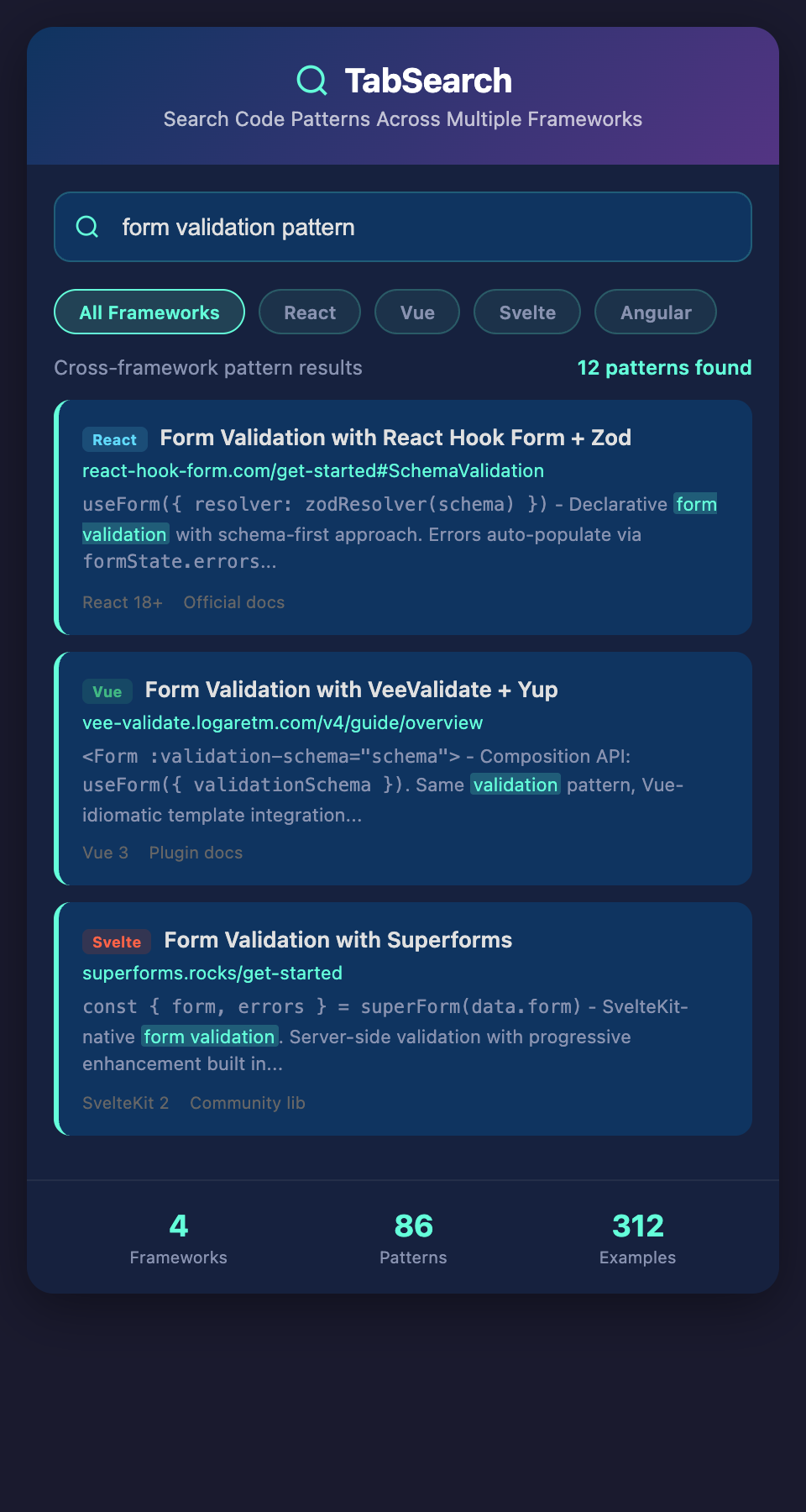
Ultimately, what polyglot developers need is the ability to search for patterns across frameworks. Search "fetch data on mount" and see how it's solved in React, Vue, Angular, and Django. Search "form validation" and see the pattern in four frameworks simultaneously.
This would require indexing the pattern across frameworks, not just searching documentation. It's more sophisticated than web search because the same concept is expressed completely differently in each framework.
## Starting Your Framework Pattern System
1. **Maintain a Core Problems document** comparing your top 3 frameworks
2. **Document architecture patterns** for each framework
3. **Create "switching guides"** when you jump between frameworks
4. **Bookmark documentation folder-per-framework**, not folder-per-concept
5. **Add framework name to all searches** explicitly (search "React hooks" not "hooks")
As you work across frameworks, your Core Problems document becomes invaluable. It's the documentation you wish existed for polyglot development.
## The Future of Framework-Agnostic Development
Eventually, development tools will understand patterns abstractly and show implementations across frameworks. A "show me how to fetch data" command would instantly show you React, Vue, Angular, and Django implementations side-by-side.
For now, the mental discipline of maintaining framework-specific pattern documentation is worth the effort. It makes context-switching faster and reduces the cognitive load of working across frameworks.
**Ready to master patterns across multiple frameworks?** Join polyglot developers building comparative knowledge bases. Add your email to our waitlist for early access to multi-framework pattern search.